Link-Live Release Notes v9.4
These Link-Live Release Notes briefly describe the new features and enhancements included in the release.
NOTE: Certain features and enhancements are only available for specific NetAlly testers. See sub-headings. Many advanced Link-Live analysis features are only available to active AllyCare Pro customers.
Version 9.4 New Features & Enhancements
This release expands access control and device management, with SAML single sign-on, QR code claiming, and Nmap push-down to v3.0 testers. New result types and data displays add Ping results from your testers, LANBERT graphs, and SFP details, alongside survey export and reporting improvements, tightened permissions, and a broad set of minor refinements.
Security Testing: Nmap Push-Down
For CyberScope Testers and Active AllyCare Pro Customers
Nmap solutions can now be pushed down to NetAlly testers running v3.0 or later. CyberScope units can always receive Nmap push-downs. Other testers must be running v3.0 and have AllyCare Pro.
NOTE: LinkRunner AT 1500 and LinkRunner AT 3000 units do not support Nmap push-down.
Device Management and Claiming
-
QR Code Claiming – Units can now be claimed by scanning a QR code that appears in a pop-up dialog on unclaimed NetAlly testers. Select Claim Now during the startup process or in the Link-Live app, and scan the code with another device. The image below shows an example of the claiming QR code screen:
-
Auto-Select on Claim – A newly claimed unit is selected automatically when the claim completes, so follow-up steps such as customizing notifications apply to the right unit.
-
Nearest Switch Information – Test Accessory results now include Nearest Switch information.
Results and Data
-
LANBERT Graphs – Link-Live now supports uploading and displaying LANBERT graphs.
-
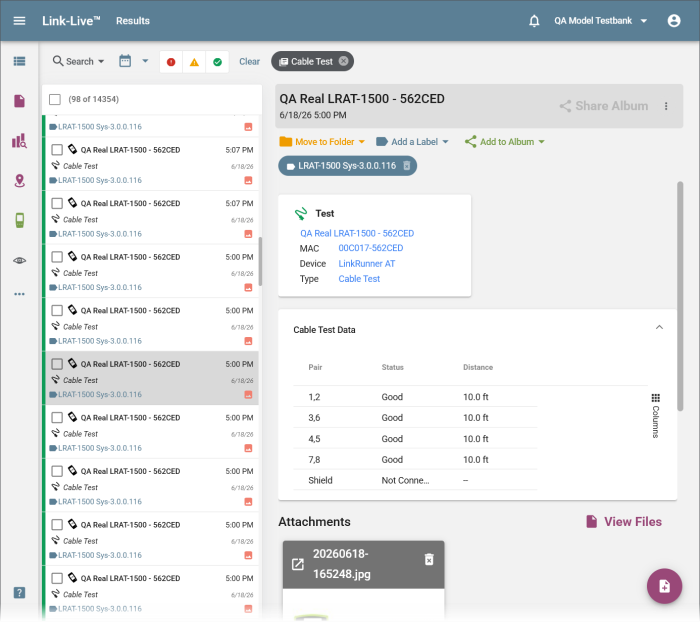
Ping Results – Ping test results can now be uploaded from NetAlly testers and viewed in Link-Live.
-
SFP Information – New SFP transceiver information is displayed in Link-Live.
Wi-Fi, AirMapper, and Analysis
-
Export an Unprocessed Survey – Surveys can now be exported before they have been processed.
-
Annotation Legend in Reports – Survey PDF reports now include a legend identifying annotations, AP names, and interferers, numbered to match the heatmap.
The heatmap Comment dialog is now called New Annotation. Hold Ctrl and click on a heatmap to add an Annotation.
User Management and Security
-
Single Sign-On with SAML – Organizations that use a SAML identity provider can now sign in through Sign in with SSO on the Link-Live sign-in page, alongside the existing Google and Microsoft options. Enabling SSO requires coordinating with NetAlly to exchange configuration between your identity provider and Link-Live. Contact NetAlly to set it up for your organization.
-
Read-Only and Admin Restrictions – Restrictions for Read-Only vs. Admin users have been tightened across the product.
Minor Improvements and Refinements
-
Refined Read-Only user permissions in several areas, including InSites and unit management.
-
Improved survey processing reliability, including merged and re-imported surveys.
-
Updated AirCheck G2 survey and roaming data displays.
-
Refined Custom Limits to accept values within supported ranges.
-
Improved PDF report generation for SSID views.
-
Updated the Generate Report dialog layout.
-
Updated navigation when switching organizations during an analysis.
-
Improved how repeated test runs are displayed across test types.
-
Updated Neighbor Report entry interactions.
-
Improved claiming reliability for units without an AllyCare Pro subscription.
-
Updated the Claimed By field display.
-
Refined messaging when claiming a unit with an available update.
-
Updated Nmap sidebar availability for v3.0 testers.
-
Simplified the Software Downloads page to show the newest system version.
-
Improved sign-in display on mobile devices.
-
Miscellaneous stability, layout, and wording fixes across v9.4.