Tester Units
Configure the settings in the Link-Live app on your tester units to match the information for your Link-Live Private instance.
Disable Link-Live Public
-
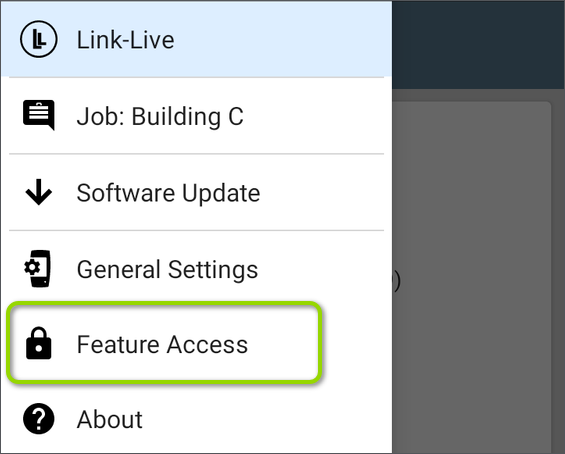
Open the Feature Access screen from the left-side navigation drawer in any NetAlly test app.
-
On the Feature Access screen, tap the overflow menu button
 at the top right and touch the Settings button.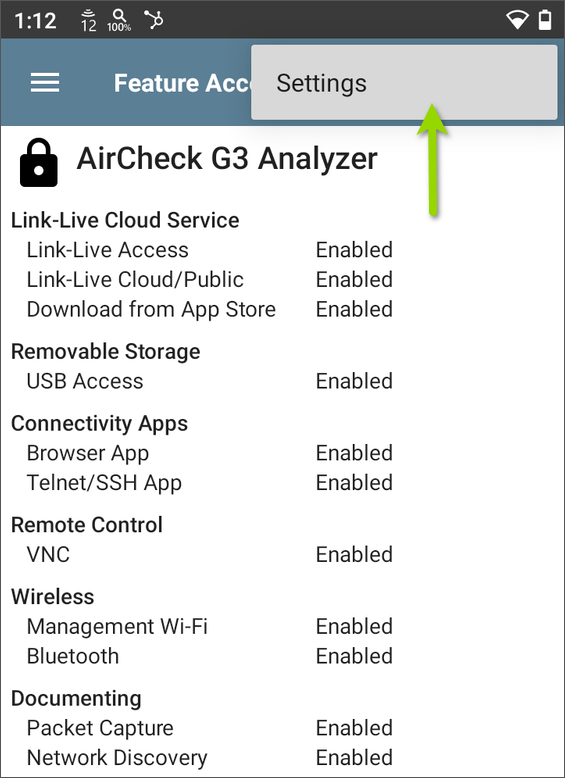
-
Enter the Password to access the settings. (The factory-set administrative password is 'admin'. If you are the owner of this tester unit, we recommend entering a custom password for security.)
-
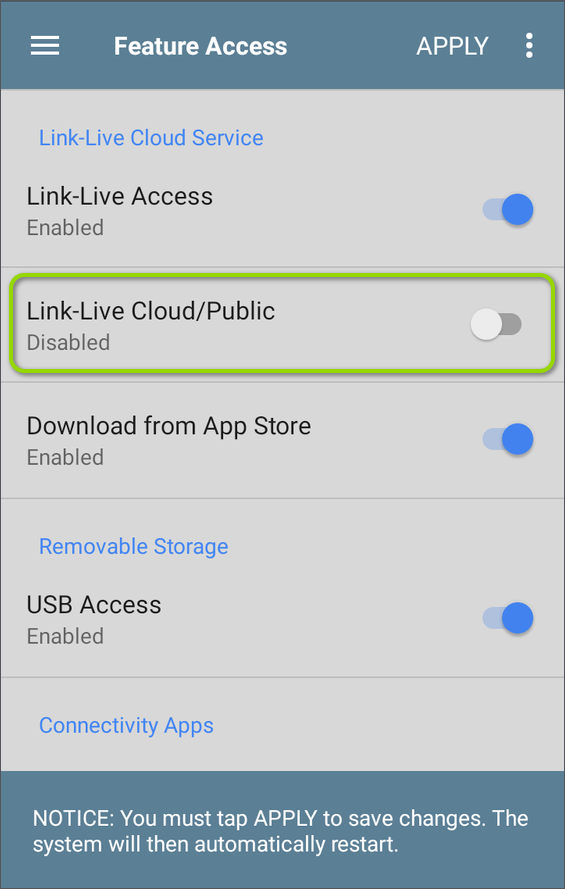
Touch the toggle button to disable Link-Live Cloud/Public. This action will enable Link-Live Private (On-Premise) settings.
-
Tap APPLY to save the settings changes.
Your tester restarts to update the configuration.
Enable Link-Live Private
-
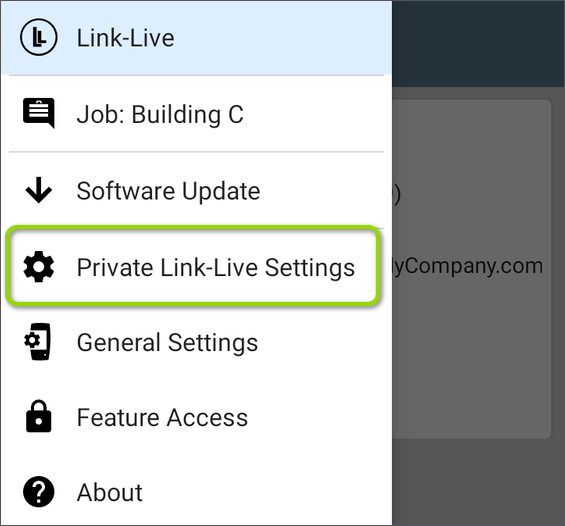
Open the Link-Live app, left-side navigation menu to access the Private Link-Live Settings.
-
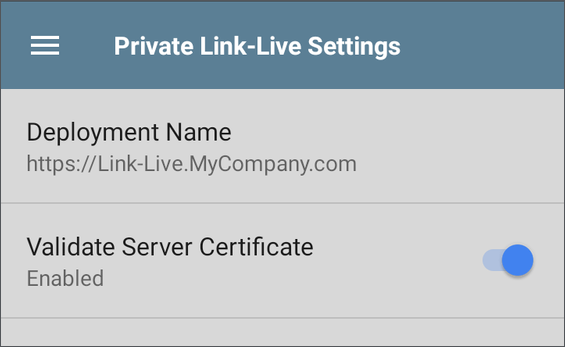
Tap to open the Private Link-Live Settings screen:
-
For Deployment Name, enter the URL for your company's instance of Link-Live Private. This is the host URL you or your company administrator configured.
-
Enable Validate Server Certificate as needed.
Settings on this screen are saved as you change them.
Updating Tester Firmware
New firmware is included with each release of Link-Live Private and loads automatically when you start Link-Live Private with new images.
Link-Live Private supports over-the-air (OTA) updates for your tester units.
NOTE: To use OTA updates, Link-Live Private requires a valid globally signed certificate.
Manually Uploading Firmware (Optional)
-
Download the firmware for your unit from the Link-Live Cloud Downloads page. (See Obtaining Software and Keyfile).
-
Log in as a superuser.
-
In your Link-Live Private, navigate to
 (Super Tools) > OTA Management.
 -
Click the floating action button at the bottom right of the page to create a new OTA entry.
-
Select and fill in the appropriate information.
-
If uploading an Android OTA, first unzip the file and all nested zip files. Then, select the directory to upload.
Units claimed to Link-Live Private will now be able to download the uploaded firmware update.