Searching and Filtering
The Search and Filter bar above the List Panel is available on most pages in Link-Live. Filters narrow the items shown in the list. When filters are active, the list count shows how many items match: for example, "1 of 227."
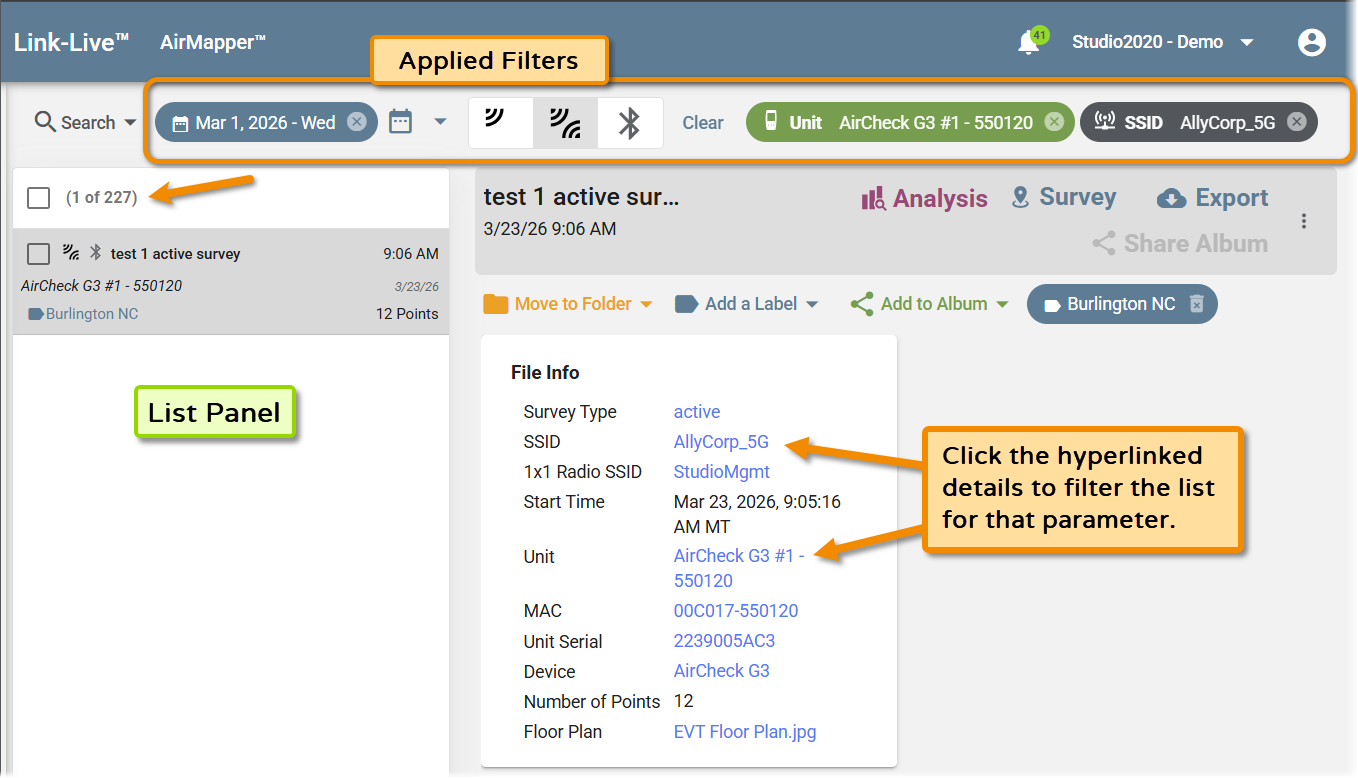
The Search and Filter Bar
-
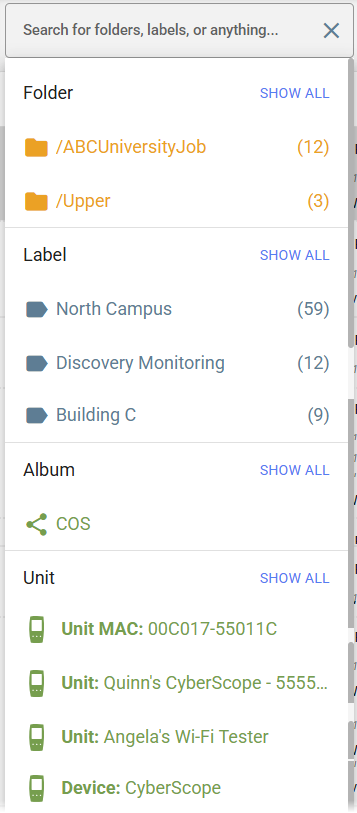
Search – A text search dropdown for finding items by name, date, label, folder, or other criteria. Click the field to type a value or select from pre-populated options.
-
Date filter – Filter items by date. Click the calendar icon to open a date picker and set a date range.
-
Content-type filter icons – Icon buttons that filter the list by content type. The icons shown depend on the page: for example, AirMapper (shown above) has survey type icons (passive, active, Bluetooth), Files shows file format buttons (PDF, CSV, JPG, PNG), Results shows AutoTest status icons, and Units shows tester model icons.
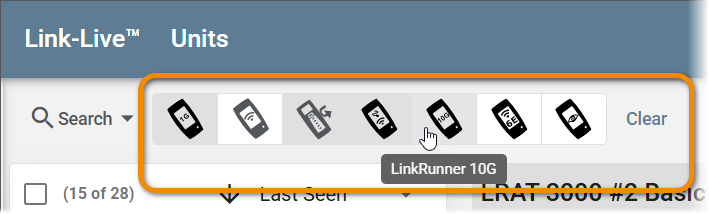
NOTE: Multiple content-type icons can be selected and the list will show all matching items (OR).
-
Applied filter tags – Each active filter appears as a tag in the filter bar showing the filter parameter and value (for example, Unit: AirCheck G3 #1 or SSID: AllyCorp_5G). Click the X on a tag to remove that filter individually.

NOTE: Filters that display as a tag, rather than an icon, are combined together (AND), so only items matching all conditions are shown in the list.
-
Clear – Removes all active filters at once and returns the list to its full, unfiltered state.
Filtering from the Detail Panel
Many values in the detail panel are displayed as blue hyperlinks. Clicking a hyperlinked value instantly applies it as a filter to the list, narrowing the List Panel to show only items that match that parameter.
For example, clicking a hyperlinked unit name in a result's detail panel filters the Results list to show only results from that unit. The applied filter appears as a tag in the filter bar, where it can be cleared individually or with the Clear button.
This works across pages wherever hyperlinked values appear in detail cards: Results, Files, AirMapper, Analysis, and others.