While the LinkRunner AT-1500, LinkRunner AT-3000 and LinkRunner AT-4000 units are 1GB testers, they can see (not link) other advertised speeds higher than 1GB. The first photo is an example of what you will see with NBASE-T Detection disabled (default). The second photo is an example of what you can see after enabling NBASE-T Detection. Keep in mind these are just the switch advertisements and you will notice the 1G is bolded indicating link at 1G.
| Before Enabling | After Enabling |
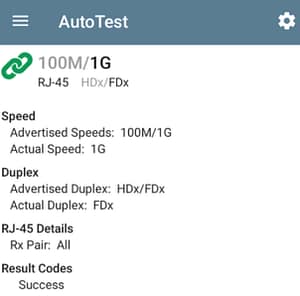 | 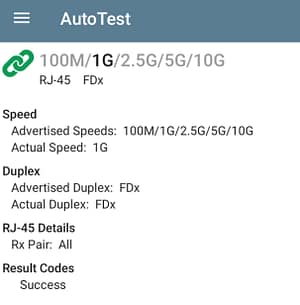 |
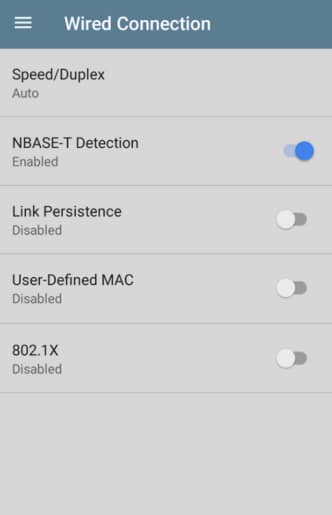
How to Enable NBASE-T Detection?
NBASE-T detection is profile specific, so you will need to enable for each applicable profile. To enable:
- Open AutoTest.
- Access the profile you want to change.
- Go to Wired Connection.
- Enable NBASE-T Detection.