Network switches are the backbone of your infrastructure. They direct traffic, enforce policies, and keep the business running. But how do you know if they’re actually doing what you configured them to do?
That’s where network switch testing comes in. It’s the process of validating that your switch ports are configured correctly, delivering the right power levels, and routing traffic through the proper VLANs. It’s not just about checking if a link light is green – it’s about verifying the logic behind the connection.
We’ll break down what network switch testing actually involves, why it’s different from cable or electrical testing, and which tools you need to validate configuration, performance, and Power over Ethernet (PoE) delivery.
Table of Contents
What is Network Switch Testing and Why It Matters
Network switch testing is the process of validating the configuration and performance of switch ports. It verifies that the active equipment is doing what you told it to do – not just that a cable is plugged in.
This is different from electrical testing, which focuses on voltage continuity (ensuring you have 120V/240V at the outlet). It’s also different from network cable testing, which tests the physical media. While a cable tester ensures the wires are intact, switch testing validates the data link and network layers of the OSI model.
When you test a switch, you’re checking:
- Port Configuration: Are the switch port settings correct, and did speed and duplex negotiate properly between the switch and the connected device? Mismatches here cause collisions and performance degradation.
- VLAN Assignments: Is the port tagged correctly? A port on the wrong VLAN is effectively a dead port for the user trying to reach the server.
- PoE Delivery: Can the switch actually deliver the required wattage under load? Just because a switch negotiates PoE doesn’t mean it can sustain that power when you need it – more on that later.
- Documentation Accuracy: Because nobody remembers where that patch cable in port 12 actually goes. And when you’re troubleshooting at 2 AM, that matters.
Without this validation, a switch may pass basic network connectivity tests while failing to support latency-sensitive applications or high-power devices like Wi-Fi 6/6E or Wi-Fi 7 Access Points. You need to know what’s actually happening at the port level.
Tools and Equipment for Network Switch Testing
Selecting the right tool depends on the depth of diagnostics required. Professional network testing requires purpose-built hardware that can emulate network devices and validate protocols. Here’s how to choose.
For Frontline Validation: LinkSprinter®
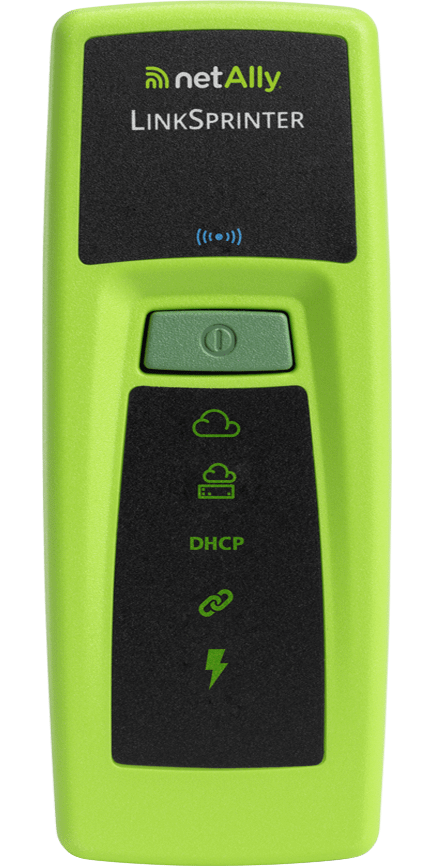
When you need answers fast, the LinkSprinter delivers. It validates the physical link, switch port information (via CDP/LLDP/EDP), DHCP, and Gateway reachability in seconds. It’s the efficient choice for validating basic moves, adds, and changes without overthinking it.
For Installation and Validation: LinkRunner® Series
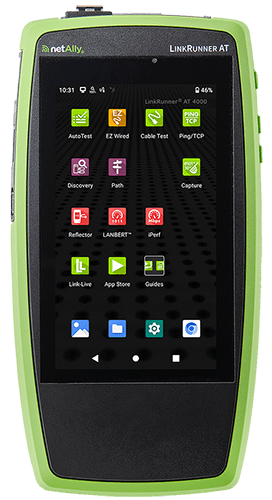
When deploying infrastructure, the LinkRunner AT 3000 or 4000 are the industry standards. These tools go beyond basic network connectivity testing to validate switch port configurations, VLAN tagging, and TruePower™ PoE loading. They provide the automated documentation necessary for project sign-offs – so you’re not scrambling to recreate test results weeks later.
For Multi-Gigabit Environments: LinkRunner® 10G
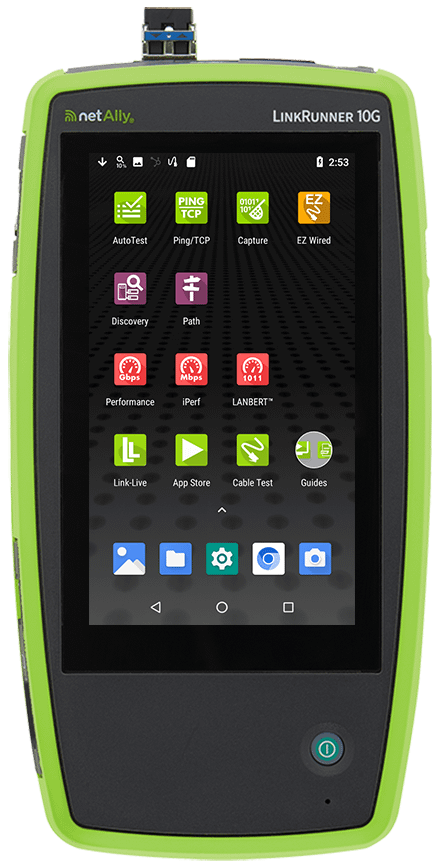
With the adoption of Multi-Gig switches (2.5/5/10G) to support high-speed APs, standard 1G testers won’t cut it. The LinkRunner 10G validates line-rate performance and SNR (Signal-to-Noise Ratio) to ensure the cabling plant supports the higher frequencies required by Multi-Gig standards without downshifting. If you’re deploying 10G infrastructure, this is non-negotiable.
For Engineering and Analysis: EtherScope® nXG
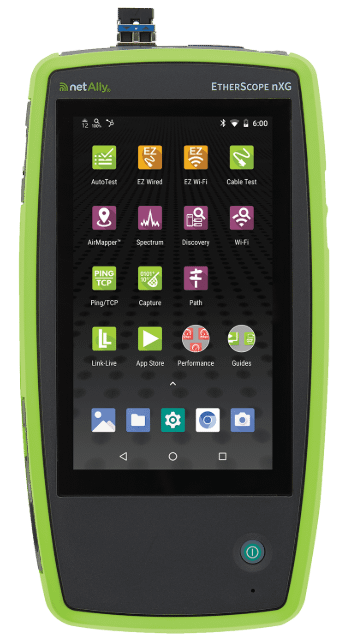
For complex switch troubleshooting involving both wired and wireless infrastructures, the EtherScope nXG is the answer. It provides deep visibility into network topology, VLAN configurations, and performance metrics. It’s the complete handheld analyzer for senior engineers who need to see everything.
How to Test a Network Switch?
A systematic approach to testing ensures consistency and reduces Mean Time to Resolution (MTTR). Here’s the workflow for effective ethernet switch testing.
- Visual Inspection: Begin with the physical inspection. Check for fan operation, obstructed airflow, and port LED status indicators. If the hardware is physically compromised, no amount of configuration changes will save you.
- Physical Layer Verification: Before testing the switch, validate the cabling. A high-end switch cannot compensate for a damaged copper pair or poor termination. Use a qualified ethernet cable tester to ensure the physical path is sound.
- Port Connectivity & Link Negotiation: Connect your tester to verify the switch port advertises and negotiates the correct speed and duplex capabilities.
- Service Validation: Confirm the availability of core network services (DHCP, DNS, Gateway reachability) through the switch port.
- Automated Documentation: Use tools like Link-Live™ to automatically upload test results. This creates a baseline “birth certificate” for the link. When you’re performing switch troubleshooting on this link six months from now, you’ll have the data you need.
Advanced Switch Testing Techniques
Validating basic connectivity is the minimum requirement. To ensure network resilience, you need to validate the advanced configurations that actually drive performance.
QoS and Traffic Prioritization
Quality of Service (QoS) configurations are invisible to standard ping tests. To verify that Voice over IP (VoIP) or video traffic is prioritized correctly, you must run traffic generation tests. These validate DSCP/CoS tagging and queue prioritization across the switching fabric. If your voice traffic is getting dropped during a file transfer, your QoS isn’t working – period.
VLAN Configuration Validation
Misconfigured VLANs are a leading cause of connectivity issues. Use the AutoTest feature to identify untagged and tagged VLANs present on a port. This immediately identifies if a port is incorrectly configured as an access port instead of a trunk, or vice versa. No guessing required.
PoE Load Validation
Negotiation is not delivery. A switch may advertise 802.3bt (90W) capability, but fail to deliver it under load due to power budget constraints or cabling resistance. TruePower™ load testing draws actual power from the switch to verify voltage remains within standard compliance at the device end. This is the only way to know for certain.
Pro Tip:
Do the math on power budgets. A common trap is assuming a 48-port PoE switch can support full power on all ports simultaneously. Most switches have a total power budget (e.g., 740W) that is significantly lower than the aggregate potential of all ports (48 × 30W = 1,440W). If you plug in 48 power-hungry devices, the switch will start shutting down ports to protect itself. Always calculate the total load of connected devices against the switch’s power supply capacity to prevent random port shutdowns.
Network Switch Troubleshooting and Diagnostics
Effective switch troubleshooting relies on isolating variables, not guessing. Here’s how to approach it.
Common Failure Modes
When performing network testing on switches, you will encounter the same problems repeatedly. Knowing what to look for saves time.
- Duplex Mismatches: Often caused by hard-coded settings on one end and auto-negotiation on the other. The result? CRC errors, collisions, and terrible performance.
- VLAN Mismatches: Devices placed in the wrong broadcast domain. If you cannot reach the gateway, check your VLAN tags first.
- PoE Instability: Devices that reboot randomly often suffer from voltage drop over long cable runs or an oversubscribed switch power budget.
Diagnostic Workflow
When something is not working, isolate the problem systematically:
- Physical: Verify cable integrity and link status using a reliable cable tester or network analyzer.
- Layer 2: Check LLDP/CDP information to confirm you are connected to the correct switch and port. Verify VLAN IDs.
- Layer 3: Validate IP addressing and routing to the gateway.
- Performance: If connectivity exists but is poor, run a performance test to check for packet loss, jitter, or throughput bottlenecks.
This workflow eliminates guesswork and gets you to the root cause faster.
Real-World Switch Testing Scenarios
The Wi-Fi 7 Upgrade
You’re upgrading to Wi-Fi 7 Access Points. These units are power-hungry and require Multi-Gigabit speeds to realize their full potential. A standard “link up” test won’t tell you if the existing switching infrastructure can support the increased PoE class requirements. You need to validate actual power delivery and throughput under load. Otherwise, you’re just installing expensive paperweights.
The Undocumented Network
During a migration, you encounter a switch with zero documentation. Using a discovery tool like EtherScope nXG or LinkRunner AT 4000, you can map the switch ports, identify connected devices, and determine VLAN configurations without manually tracing cables through a ceiling plenum. The right tool turns hours of manual work into minutes of automated discovery.
Safety Procedures for Network Switch Testing
While switch testing focuses on configuration and protocols rather than physical installation, safety protocols remain essential during the testing process.
- Installation Safety: Adhere to standard safety protocols when working at heights or in ceiling plenums. Gravity doesn’t care about your uptime.
- Electrical Safety: Ensure proper grounding when working in racks.
- PoE Precautions: While 802.3 standards include safety checks, avoid disconnecting cables under high PoE load. Repeated hot-plugging under load can cause arcing that degrades connector contacts over time.
Best Practices for Maintenance
Proactive maintenance prevents problems before they impact users. Build these practices into your standard operating procedures.
- Maintain Accurate Inventory: Use automated discovery tools like EtherScope® nXG to keep track of switch inventory and port utilization. If you do not know what is connected to your network, you cannot secure it.
- Baseline Performance: Establish performance baselines when the network is healthy. It makes anomaly detection significantly easier during incidents.
- Configuration Backups: Always backup switch configurations before applying firmware updates or making topology changes.
- Centralized Reporting: Utilize a platform like Link-Live to centralize test data. This enables smooth collaboration between on-site technicians and remote engineers, eliminating the “it works on my machine” arguments.
Conclusion
Network switch testing validates that your network infrastructure is configured to support the business requirements. It bridges the gap between physical cabling and active applications. Whether you’re troubleshooting a specific performance issue or validating a new deployment, the ability to see into the switch port configuration – speed, duplex, VLANs, and PoE – is essential for modern network engineering.
Equip your team with the visibility they need to resolve issues faster and validate deployments with confidence.
Ready to stop guessing? Explore NetAlly’s professional validation solutions:
- EtherScope® nXG – Advanced all-in-one network analyzer.
- LinkRunner® 10G – Multi-Gigabit validation and testing.
- LinkRunner® AT 4000 – Smart network and cable tester for installation work.
- LinkSprinter® – Rapid connectivity testing for frontline teams.