
Running a wireless iPerf test is a great way to measure network performance and throughput. Follow these steps to ensure accurate results:
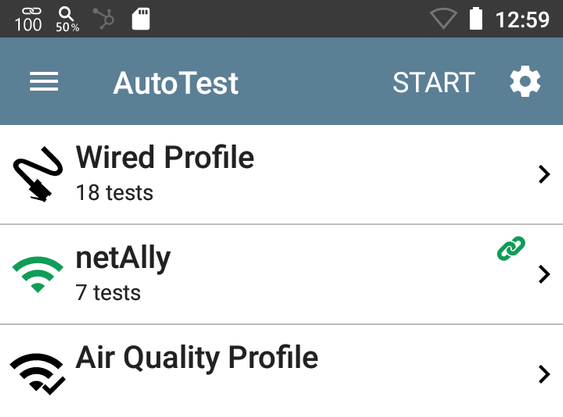
Step 1: Complete the AutoTest
Before starting the iPerf test, run the AutoTest. This process links the testing radio to the required SSID for iPerf performance testing.
Open the iPerf Application, using the Setting Cog to populate your iPerf server IP and ensure the interface selected is Wi-Fi Port.
Important: Skipping this step will cause the error:
“The selected port is not linked (17)”
“The selected port is not linked (17)”
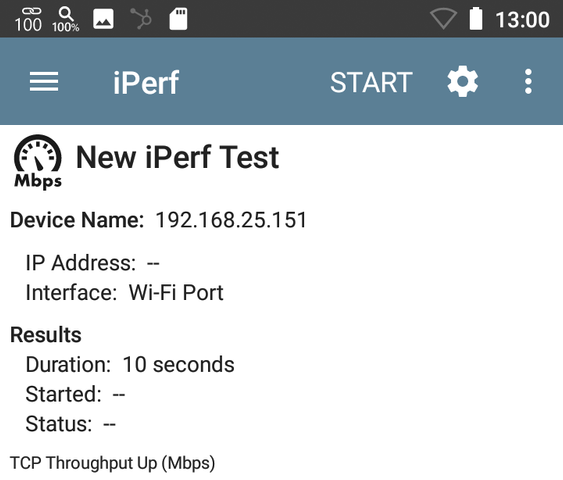
Step 2: Configure the iPerf Application
- Open the iPerf application.
- Click the Settings Cog to enter your iPerf server IP address.
- Ensure the selected interface is Wi-Fi Port.
Step 3: Start the iPerf Test
Press START to begin the test.
Keep in mind that several factors can affect wireless iPerf results, including:
- RSSI (Received Signal Strength Indicator)
- SNR (Signal-to-Noise Ratio)
- Frequency bands
- Channel widths