Running dedicated power cables to every single device on a network is a waste of time and budget. Finding an available outlet near a ceiling-mounted access point or drilling through exterior walls to power a security camera is expensive, frustrating, and limits where you can deploy infrastructure.
Power over Ethernet (PoE) solves this problem by allowing you to transmit both data and electrical power over a single Ethernet cable.
For network engineers and IT professionals, PoE is a fundamental technology that simplifies network deployment, reduces installation costs, and enables the modern smart building. Whether you are deploying a simple VoIP phone system or a complex mesh of Power over Ethernet devices like IoT sensors and LED lighting, understanding the mechanics, standards, and equipment behind PoE is critical for maintaining a reliable network.
What is Power over Ethernet (PoE)?
Power over Ethernet is a technology defined by the IEEE 802.3 standards that allows Ethernet cables (Cat5e, Cat6, and above) to deliver DC power to devices while simultaneously transmitting data.
Before PoE became a standard, installing a network device required two separate connections: a data cable for network communication and an electrical cable for power. This double-cabling requirement limited where devices could be placed and significantly increased installation costs due to the need for qualified electricians to run conduit and AC power.
PoE eliminates this constraint. By leveraging the twisted pairs of copper wires within a standard Power over Ethernet cable, PoE creates a streamlined “single-cable” solution.
Key Concepts: PSE and PD
To understand PoE, you must distinguish between the two main roles in the power delivery process:
- PSE (Power Sourcing Equipment): The device that supplies power. This is typically a Power over Ethernet switch or an injector.
- PD (Powered Device): The device that receives the power. Common examples include IP phones, wireless access points, and security cameras.
How Power over Ethernet Works
Sending electrical power down data cabling might sound risky for delicate electronics, but standard PoE is designed to be inherently safe. It uses a sophisticated negotiation process – often called a “handshake” – to ensure power is only sent to compatible devices.
When you connect a device to a PoE-enabled port, the Power Sourcing Equipment (PSE) does not immediately transmit full power. Instead, it follows a strict sequence:
- Detection: The PSE sends a low voltage pulse to check for a specific resistance signature (typically 25 kΩ) on the connected device. This confirms that a valid Powered Device (PD) is connected. If you plug in a standard laptop or non-PoE device, the PSE will not detect this signature and will not send power, protecting the device from damage.
- Classification: Once a PD is detected, the PSE determines how much power the device requires. The PD signals its “Power Class” (ranging from Class 0 to Class 8), telling the switch exactly how much wattage it needs to operate.
- Power Delivery: After the handshake is successful and the power budget is confirmed, the PSE begins delivering the standard Power over Ethernet voltage (typically 44-57V DC).
- Monitoring: The PSE continuously monitors the connection. If the cable is unplugged or the device stops drawing power, the PSE cuts the power output immediately.
Pro Tip:
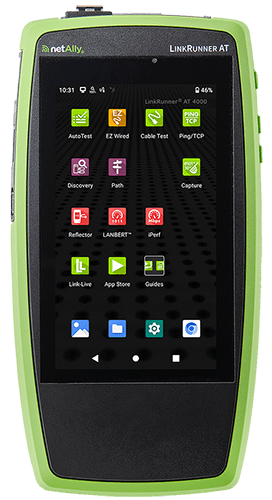
Don’t Ignore the Power Budget. Just because a switch has 48 PoE+ ports doesn’t mean it can power 48 devices simultaneously. Exceeding the switch’s “Total Power Budget” causes random reboots and dropped connections. Always calculate your load first, and use the LinkRunner® AT 4000 to verify actual power availability under load.
PoE Standards Evolution
As network devices have become more powerful, PoE standards have evolved to deliver higher wattages:
- Type 1 (IEEE 802.3af): Delivers up to 15.4W. Sufficient for basic VoIP phones and simple sensors.
- Type 2 (IEEE 802.3at / PoE+): Delivers up to 30W. The standard for Wi-Fi 5/6 access points and PTZ cameras.
- Type 3 & 4 (IEEE 802.3bt / PoE++): Delivers up to 60W (Type 3) or 90W (Type 4). Designed for high-performance Wi-Fi 6E/7 APs, digital signage, and building automation devices.
Confused by the alphabet soup of acronyms? Read our detailed breakdown of PoE vs. PoE+ vs. and UPOE/PoE++ to understand exactly which standard your network needs.
Common PoE Applications
While Voice over IP (VoIP) phones were the original driver for PoE adoption, the technology now powers a vast ecosystem of devices.
Core Network Devices
- VoIP Phones: The most common application, allowing phones to be powered directly from the wall jack.
- Wireless Access Points (WAPs): PoE allows APs to be mounted on ceilings or high on walls for optimal signal coverage without needing a nearby AC outlet.
- IP Security Cameras: Enables easy deployment of surveillance cameras in remote corners, parking lots, and building exteriors.
Smart Buildings and IoT
The introduction of high-power PoE (802.3bt) has opened the door to advanced smart building applications:
- Intelligent Lighting: PoE LED lighting systems can be powered and controlled over the network, allowing for automated scheduling, occupancy sensing, and energy savings.
- Environmental Monitoring: IoT sensors for temperature, humidity, and air quality can be deployed densely throughout a facility.
- Access Control: Smart locks, badge readers, and video intercoms are now commonly powered by the network.
- Digital Signage & Kiosks: Tablets and display screens used for wayfinding or point-of-sale (POS) systems can run entirely on a single Ethernet cable.
PoE Benefits and Limitations
Understanding the strategic value of PoE helps in justifying infrastructure upgrades.
| Benefits | Limitations |
| Cost Efficiency: Eliminates the need for expensive electrical work. You do not need a licensed electrician to run Ethernet cable (in most jurisdictions), and you avoid the cost of installing dedicated AC outlets for every endpoint. | Distance Limits: Like all standard Ethernet copper cabling, PoE is limited to a maximum distance of 100 meters (328 feet). Extending beyond this requires PoE extenders or a mid-span switch. |
| Flexibility: Devices can be installed exactly where they are needed for performance, rather than being tethered to existing power infrastructure. | Power Budget Constraints: As mentioned in the Expert Tip, switches have a finite amount of power. High-power devices (like PTZ cameras or high-performance wireless access points) can quickly deplete a switch’s budget. |
| Centralized Control & Reliability: Power comes from a central switch, which can be backed up by a UPS (Uninterruptible Power Supply). This ensures that critical devices like security cameras and phones stay online even during a building-wide power outage. | Equipment Cost: PoE switches are generally more expensive than non-PoE switches. |
| Safety: PoE uses low-voltage DC power, which presents significantly lower risks than high-voltage AC power. | Cable Quality Dependency: Delivering power generates heat. Poor quality cabling (such as Copper Clad Aluminum) can lead to excessive voltage drop and power loss, especially over long runs. |
PoE Equipment: Switches vs. Injectors
When deploying PoE, you generally have two equipment options: using a dedicated switch or adding an adapter.
Power over Ethernet Switch (Endspan)
A Power over Ethernet switch looks and functions like a standard network switch but has the built-in capability to inject power into the Ethernet cable.
- Best for: New installations, scalable networks, and environments with multiple PoE powered devices.
- Advantage: Provides a clean, centralized solution with management capabilities (on managed switches) to monitor power usage and remotely control ports.
- Disadvantage: It creates a single point of failure. If the switch power supply dies, every connected phone and camera goes dark instantly. Also, replacing an entire switch just to get higher wattage for a few new APs is a painful hit to the budget.
PoE Injectors (Midspan)
A PoE injector (sometimes called a Power over Ethernet adapter) is a device that sits between a non-PoE switch and the PD. It takes the data signal from the switch, adds power from a wall outlet, and sends the combined signal to the device.
- Best for: Retrofitting existing networks or powering a single device (like one specific camera) without replacing an entire non-PoE switch.
- Advantage: Cost-effective for single-device additions.
- Disadvantage: Can become messy and difficult to manage if used for many devices, resulting in a cluttered rack with multiple power bricks.
Choosing the Right Cable for PoE
The physical quality of your cabling infrastructure is vital for PoE performance. As power travels down the wire, resistance causes some of that energy to be lost as heat (known as insertion loss).
- Cat5e: The minimum requirement for most PoE standards. It is generally sufficient for Type 1 and Type 2 PoE (up to 30W).
- Cat6 and Cat6a: Highly recommended for modern deployments, especially for Type 3 and Type 4 (60W-90W) applications. These cables typically use thicker copper conductors (lower gauge, e.g., 23 AWG), which reduces resistance and heat buildup, ensuring that the voltage delivered to the device remains within spec.
Choosing the wrong cable can lead to intermittent power issues, where a device works fine on a short patch cable but fails when deployed at the end of a 90-meter run.
Learn more about cable selection: For a detailed breakdown of cable categories and their capabilities, read our guide on Ethernet Cable Types: Cat5e, Cat6, Cat6a, and Beyond.
Conclusion
Power over Ethernet has transformed from a niche telephony feature into the utility that powers the modern enterprise. By converging data and power onto a single part of the infrastructure, it offers unmatched flexibility and control for network engineers.
However, simply plugging in a device and hoping for the best is not a strategy. Successful PoE deployment requires understanding power budgets, cable quality, and the specific requirements of your Powered Devices.
Ensure your PoE network is delivering the power you need.
- LinkRunner® AT 4000: Validate TruePower™ delivery under load (up to 90W) to ensure your PSE can handle the demand.
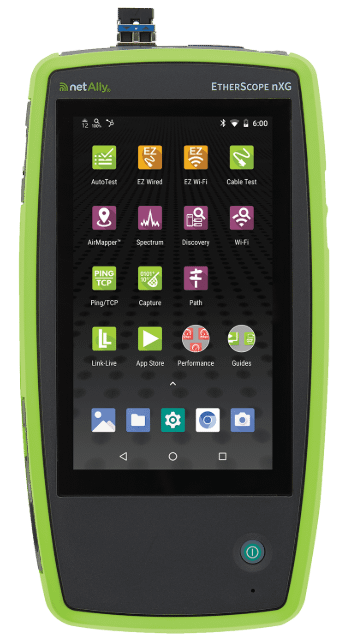
- EtherScope® nXG: The all-in-one handheld network analyzer for comprehensive wired and Wi-Fi troubleshooting.