AirMagnet® Survey PRO
Automated Wi-Fi Heatmap Software & Wireless Design Tool
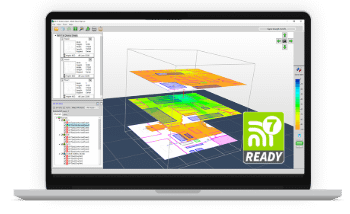
AirMagnet® Survey PRO software streamlines Wi-Fi 7 design and surveys with automated heatmaps and intelligent AP placement suggestions. Perfect for site surveys and network design with minimal technical expertise required.
- Create predictive models and get intelligent AP placement recommendations for optimal network design on the 2.4/5/6 GHz bands
- Generate automated Wi-Fi heatmaps to visualize your entire network coverage
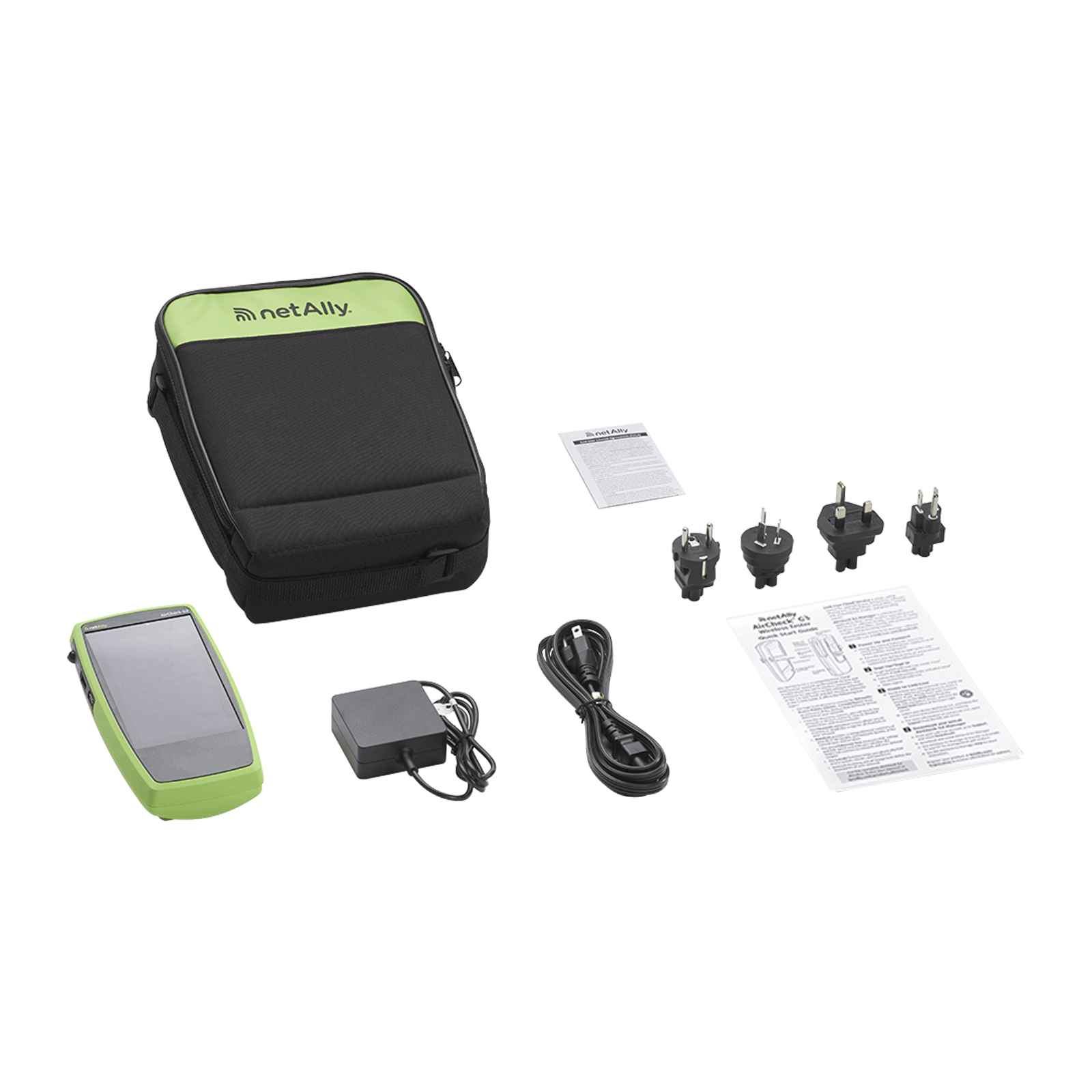
- Use with AirMapper Wi-Fi site surveys on the AirCheck® G3, EtherScope® nXG, CyberScope® and CyberScope® Air
Key Features
- Model Wi-Fi and optimize AP placement for new or existing networks without setting up APs
- Measure how well the Wi-Fi network works in real life using AirMapper™ Site Survey
- Create heatmaps and visualizations that show full Wi-Fi coverage, noise, SNR, interference, throughput, data rates, retries, loss, and more*
- Reduce time spent planning by quickly importing walls from CAD floor plans
- Simplify outdoor Wi-Fi site surveys with GPS support
- Use customizable templates to create professional reports in different formats
*Noise and SNR measurements require the use of AirMapper Site Survey.
How to use Wi-Fi Design and Site Survey Analysis Software?
Test it yourself and see how easy it is to use AirMagnet® Survey PRO. Click on the orange dots to explore.
Home Screen
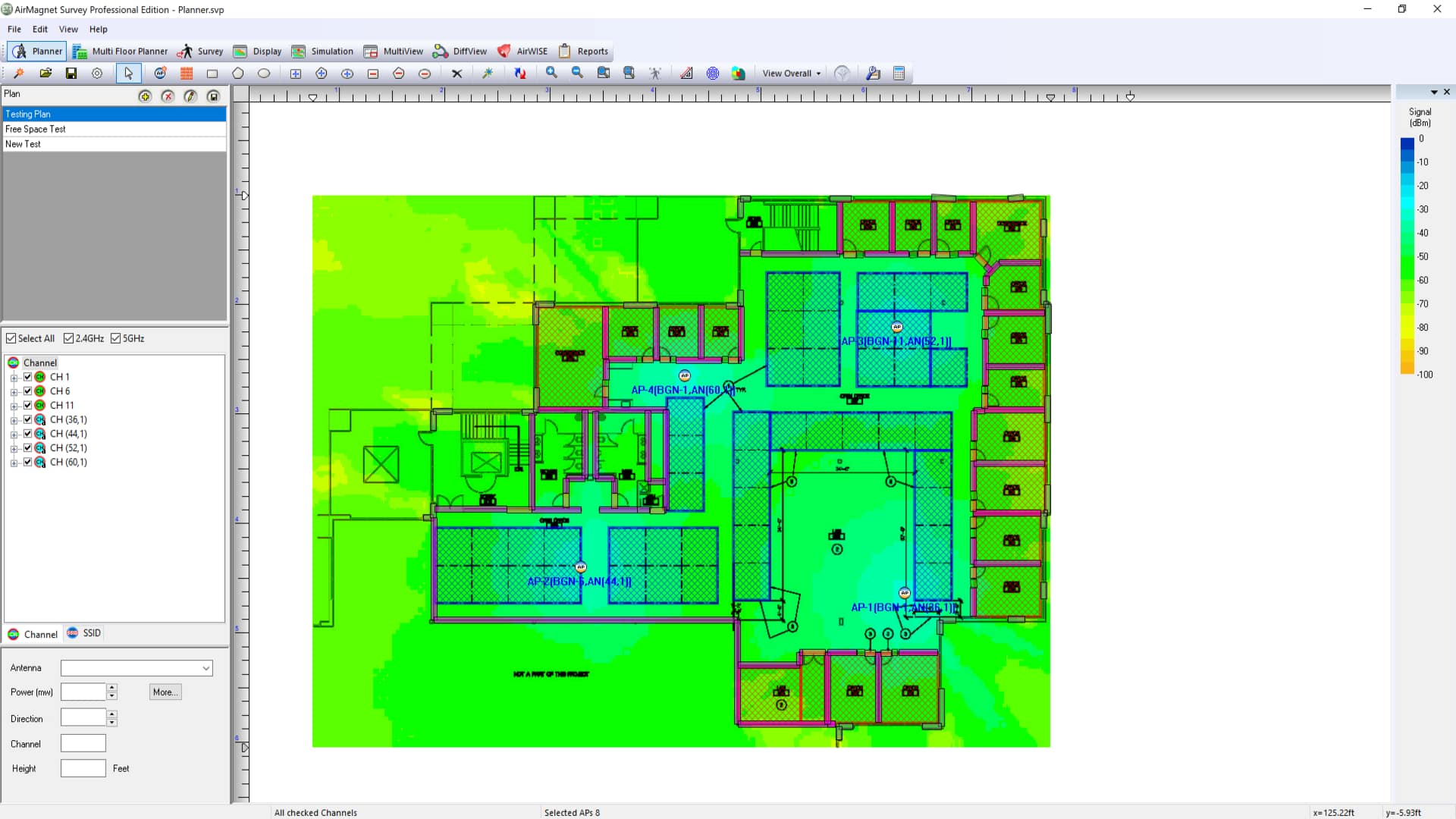
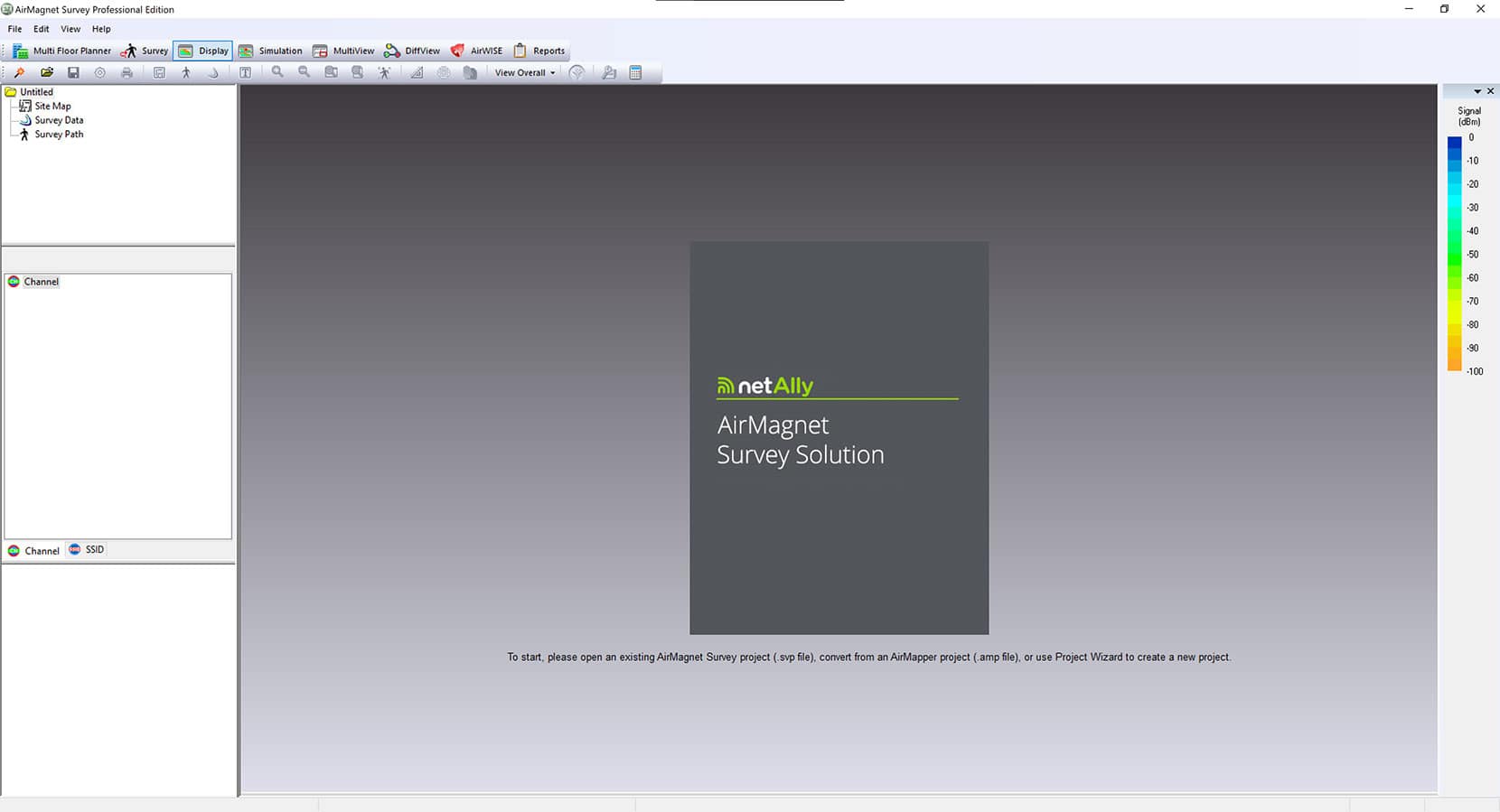
AirMagnet Survey PRO allows you to predictively model Wi-Fi network changes or design a new network for optimal coverage, connectivity, and performance. It also allows you to simulate changes to an existing network, compare a design versus a survey side-by-side, automatically validate requirements, or generate custom reports.
Planner Advisor
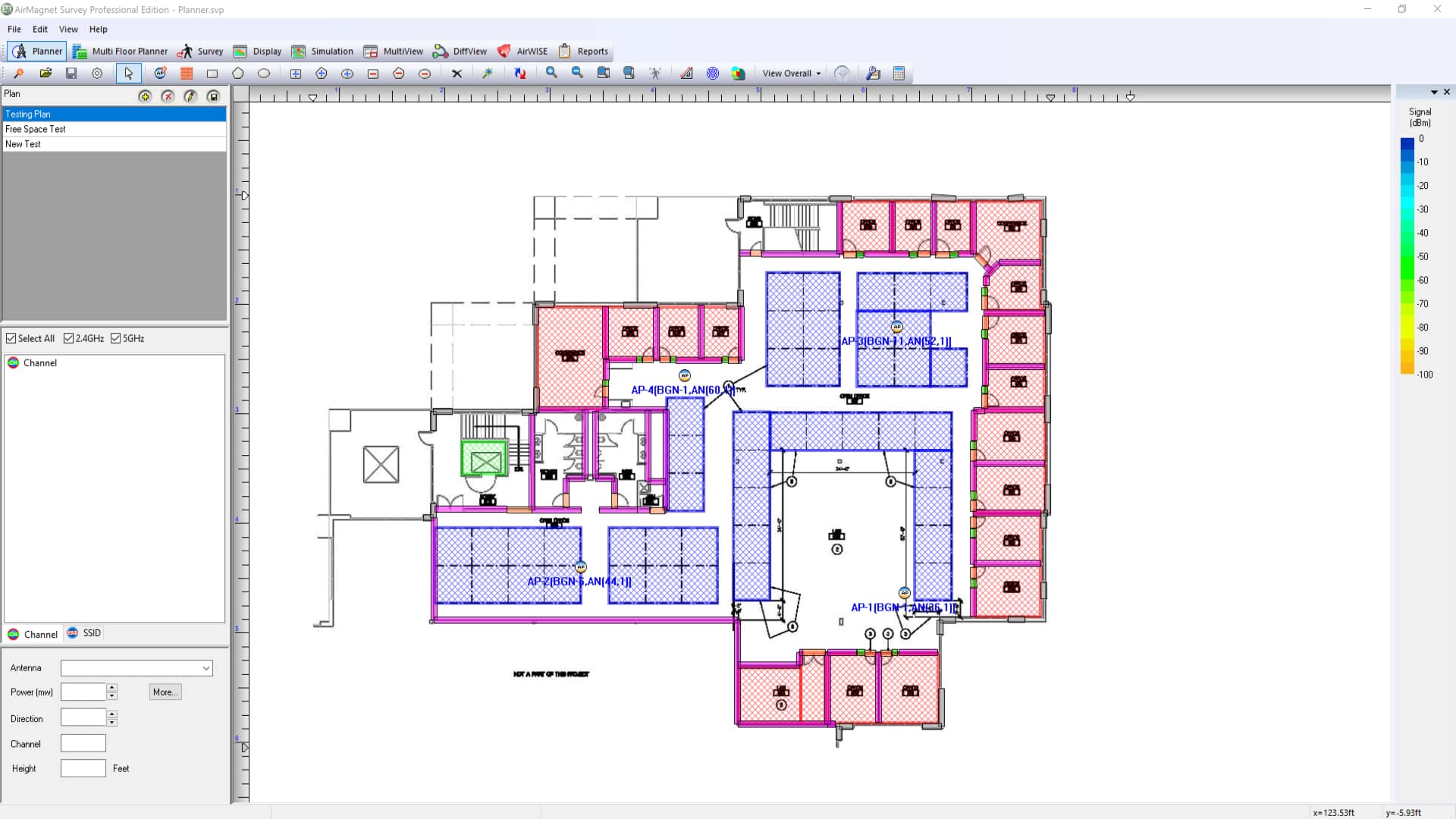
The Planner Advisor will automatically calculate how many AP’s you need and where to place them.
Benefits: Remove all guess work from the WiFi network planning process! Quickly determines how many AP’s will be needed and where to place them based on the physical environment and your requirements.
Multi Floor Planner
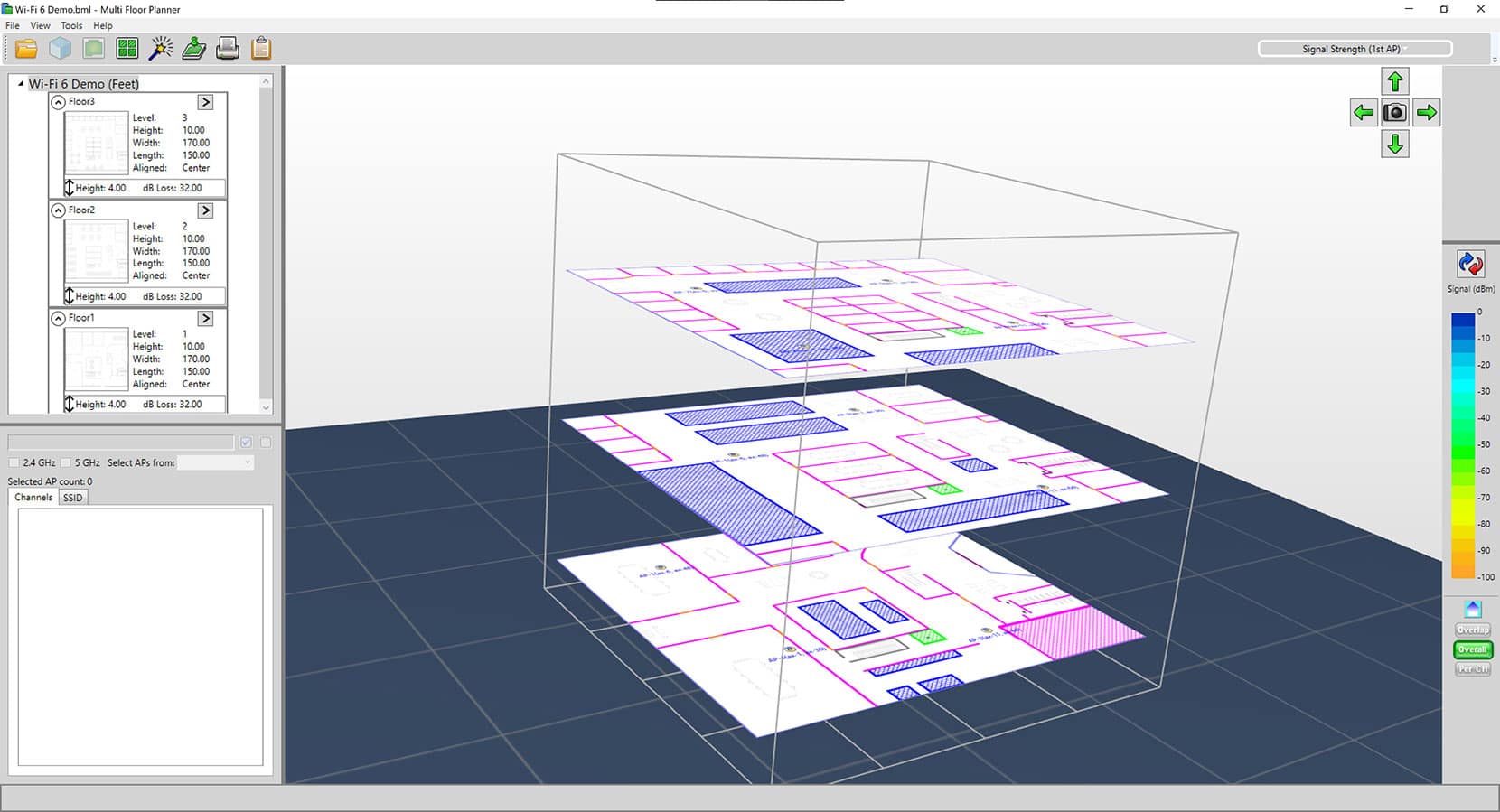
The Multi Floor Planner module allows you to predictively model Wi-Fi network changes or design a new network. You can provide information on building materials, attenuation areas, and APs for an entire building. Select the Advisor tool to learn more!
Benefits: Uses information about the physical environment to accurately calculate how many Access Points you need and where to place them. Plus, it provides visibility on how the Wi-Fi network signal can propagate through an entire building.
Multi Floor Planner Advisor
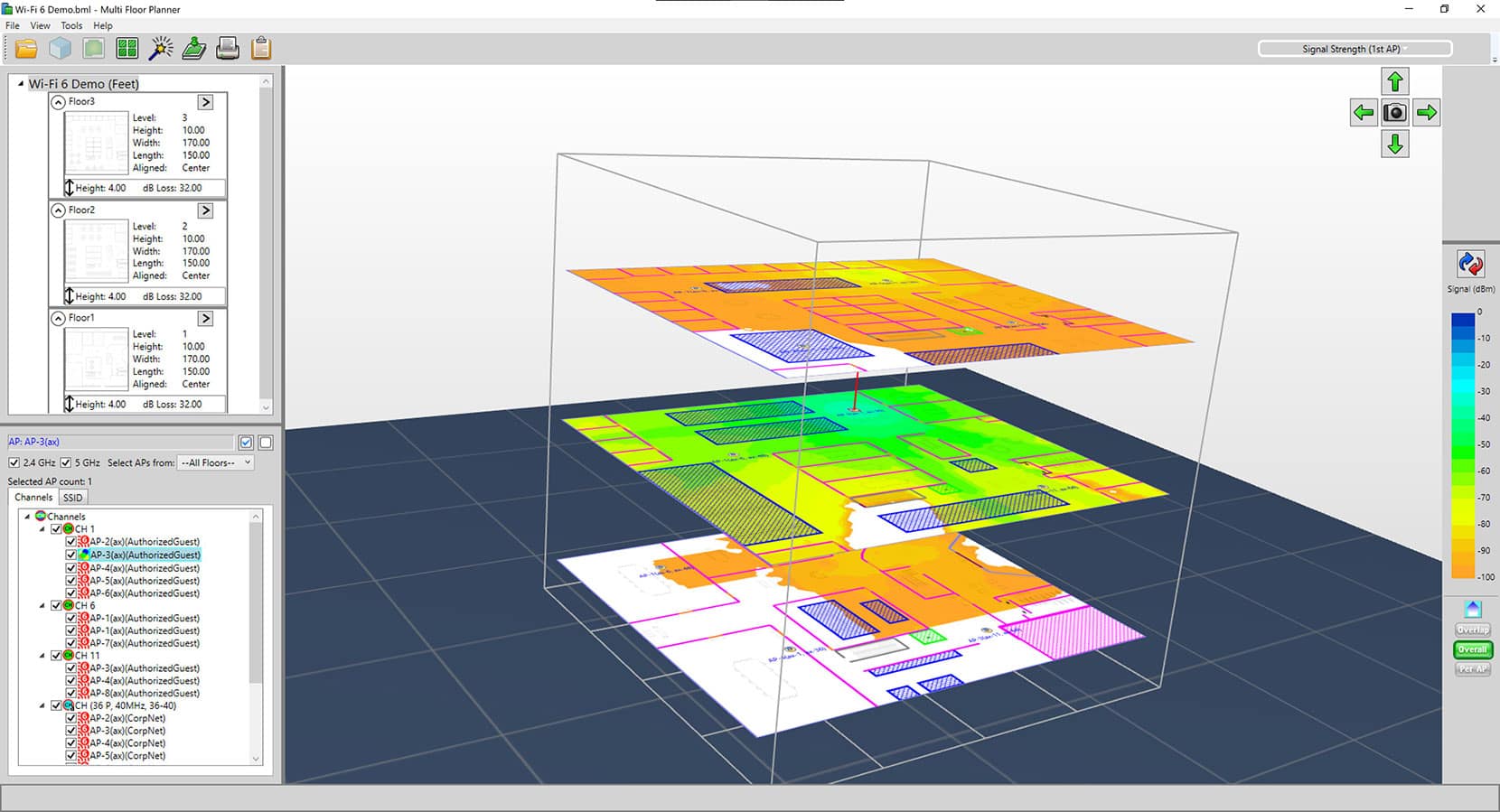
The Multi Floor Planner Advisor will automatically calculate how many AP’s you need and where to place them. It will also provide visibility on how the signal of specific AP’s propagates throughout the building.
Benefits: Remove all guess work from the Wi-Fi network planning process. Quickly determines how many AP’s will be needed and where to place them based on the physical environment and your requirements.
Survey
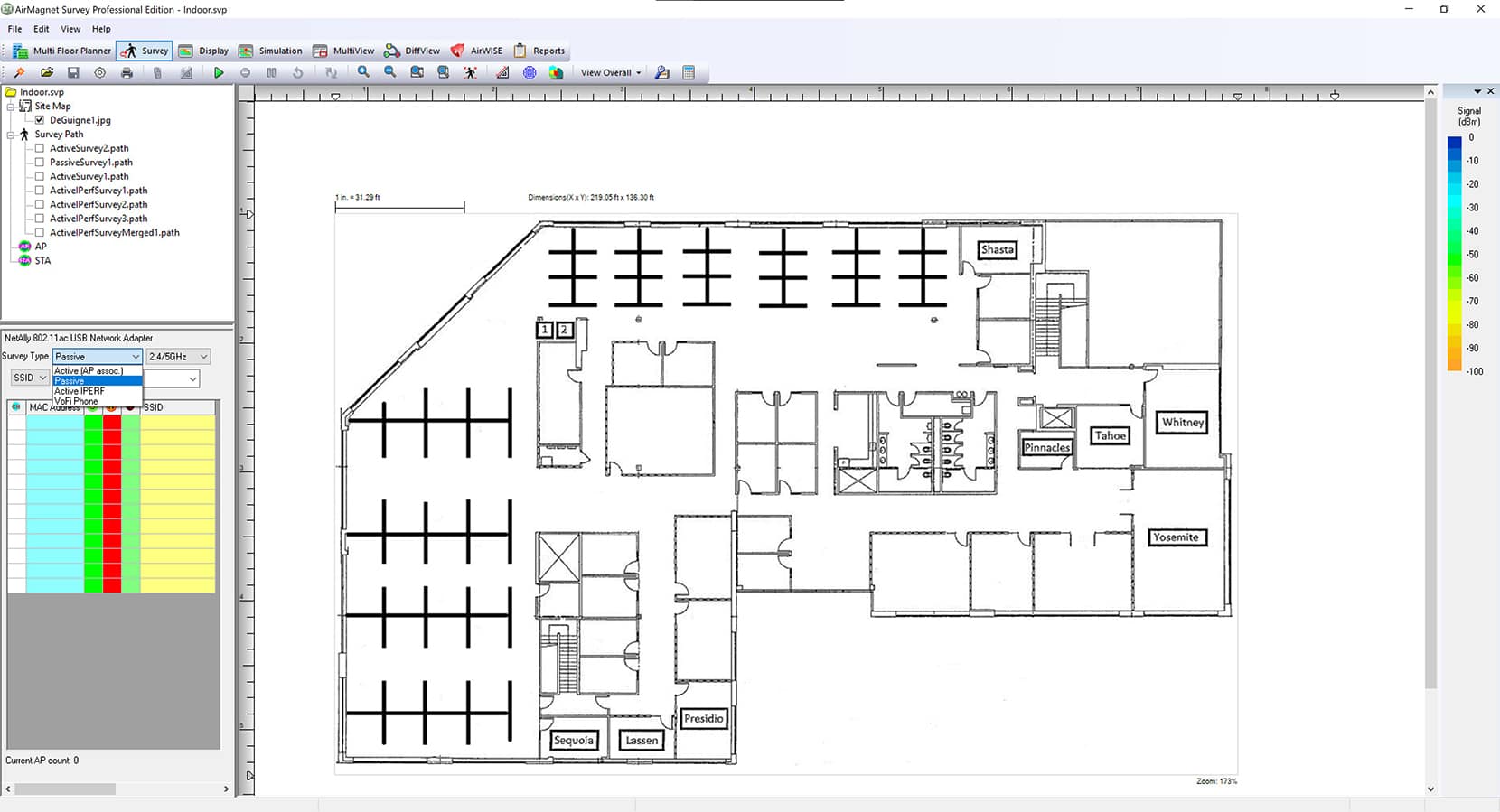
Gives you the option to perform Active, Passive, or iPerf surveys on the 2.4/5/6 GHz bands. Can be used for Pre-Site, Post-Site, or AP-on-a-Stick (APoS) surveys.
Benefits: Quickly and easily validate network performance and connectivity. Identify problems with inteference, roaming, throughput, retries, and lots more.
Display
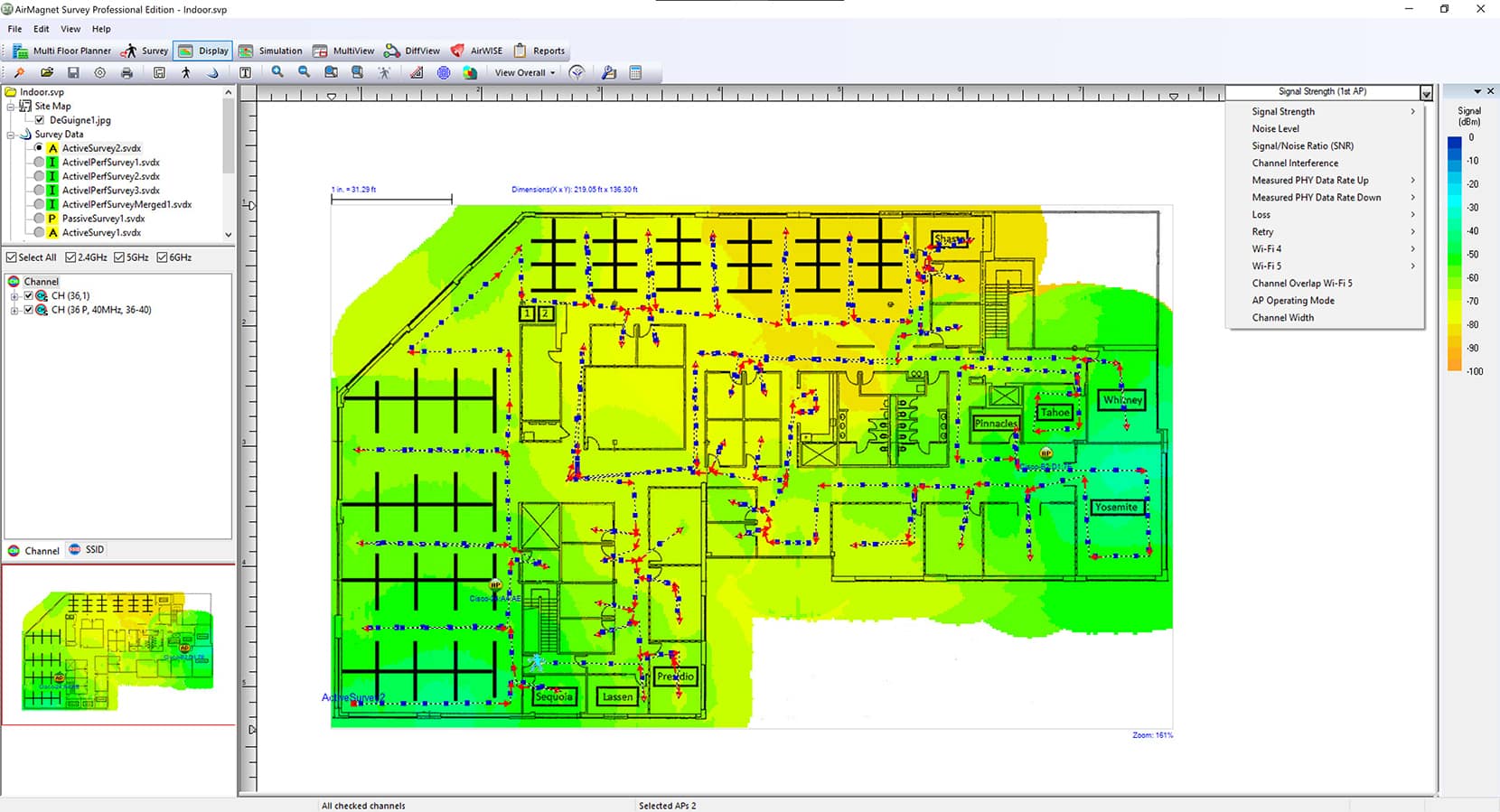
Provides the option to visualize AirMapper data collected with an AirCheck G3, EtherScope nXG, or CyberScope (or a Wi-Fi adapter), plus allows you to select which heatmap you want to analyze.
Benefits: Gain full visibility of the Wi-Fi network by reviewing heatmaps for Signal Coverage, Interference, Data Rates, Retry Rates, and more.
MultiView
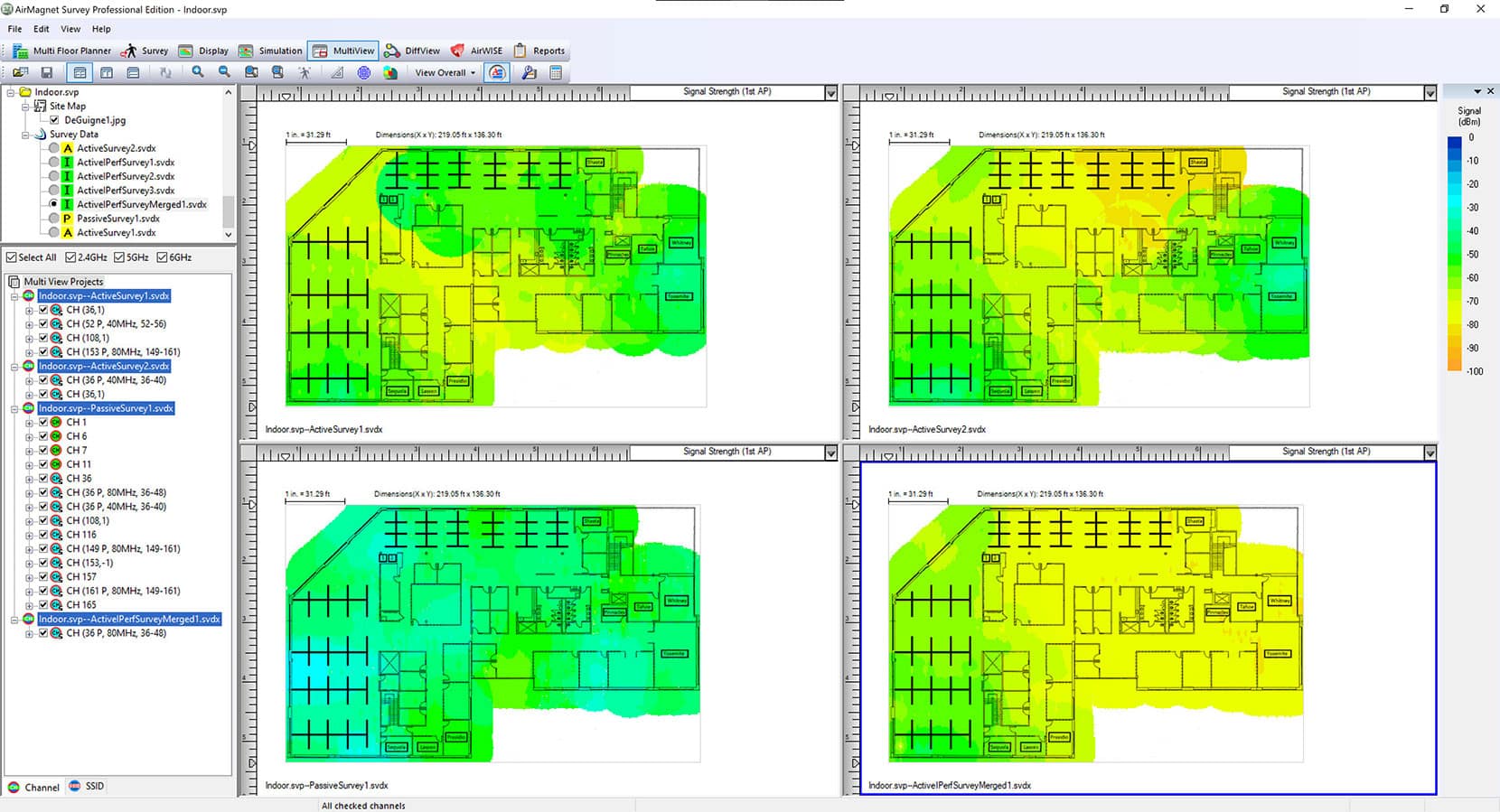
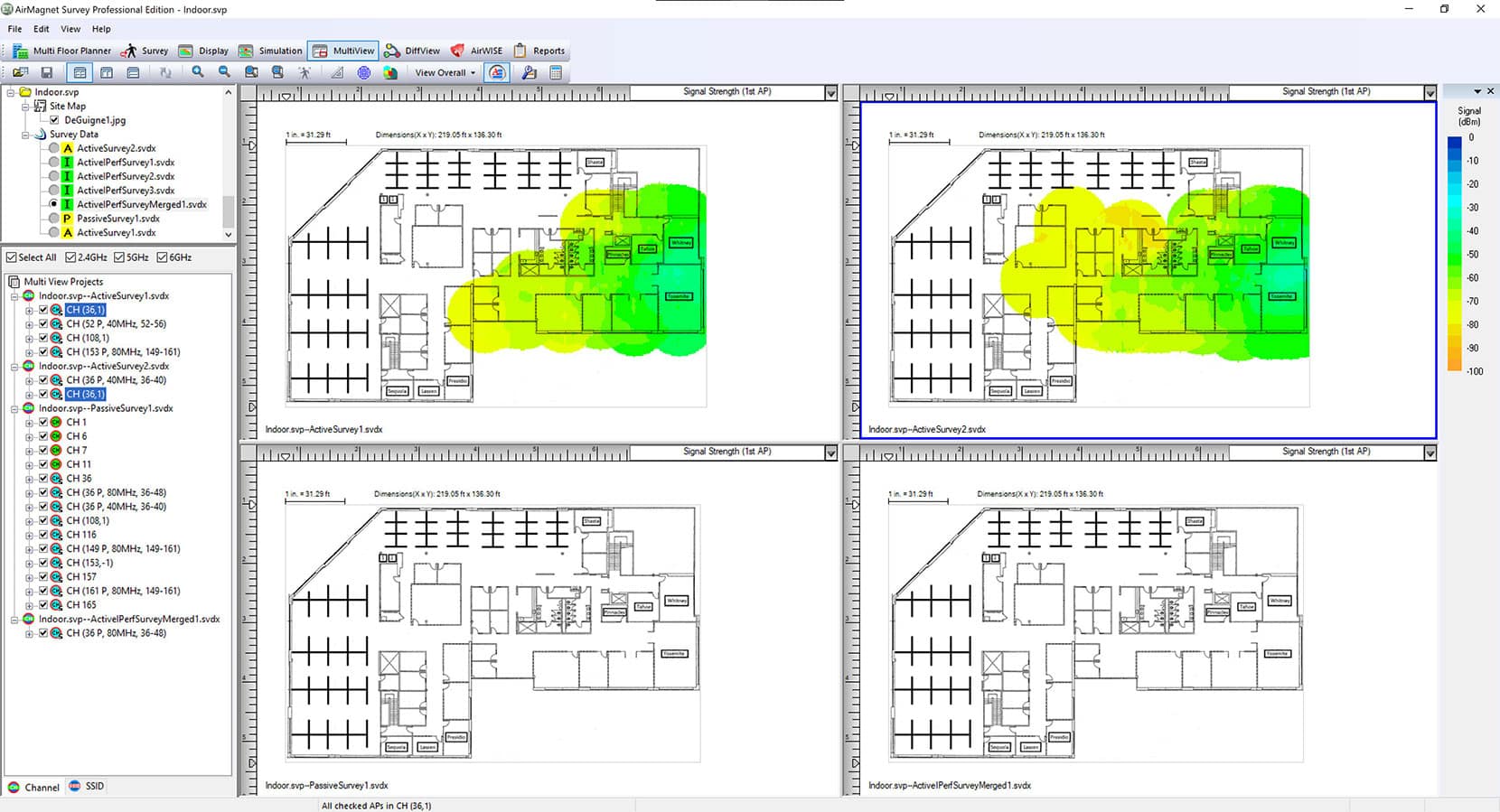
Perform a survey using AirMapper on an AirCheck G3, EtherScope nXG, or CyberScope (or a Wi-Fi adapter) on multiple floors and see how the signal of an AP on one floor can propagate to others.
Benefits: Quickly and easily gain visibility on how the Wi-Fi network signal is propagating throughout your entire building.
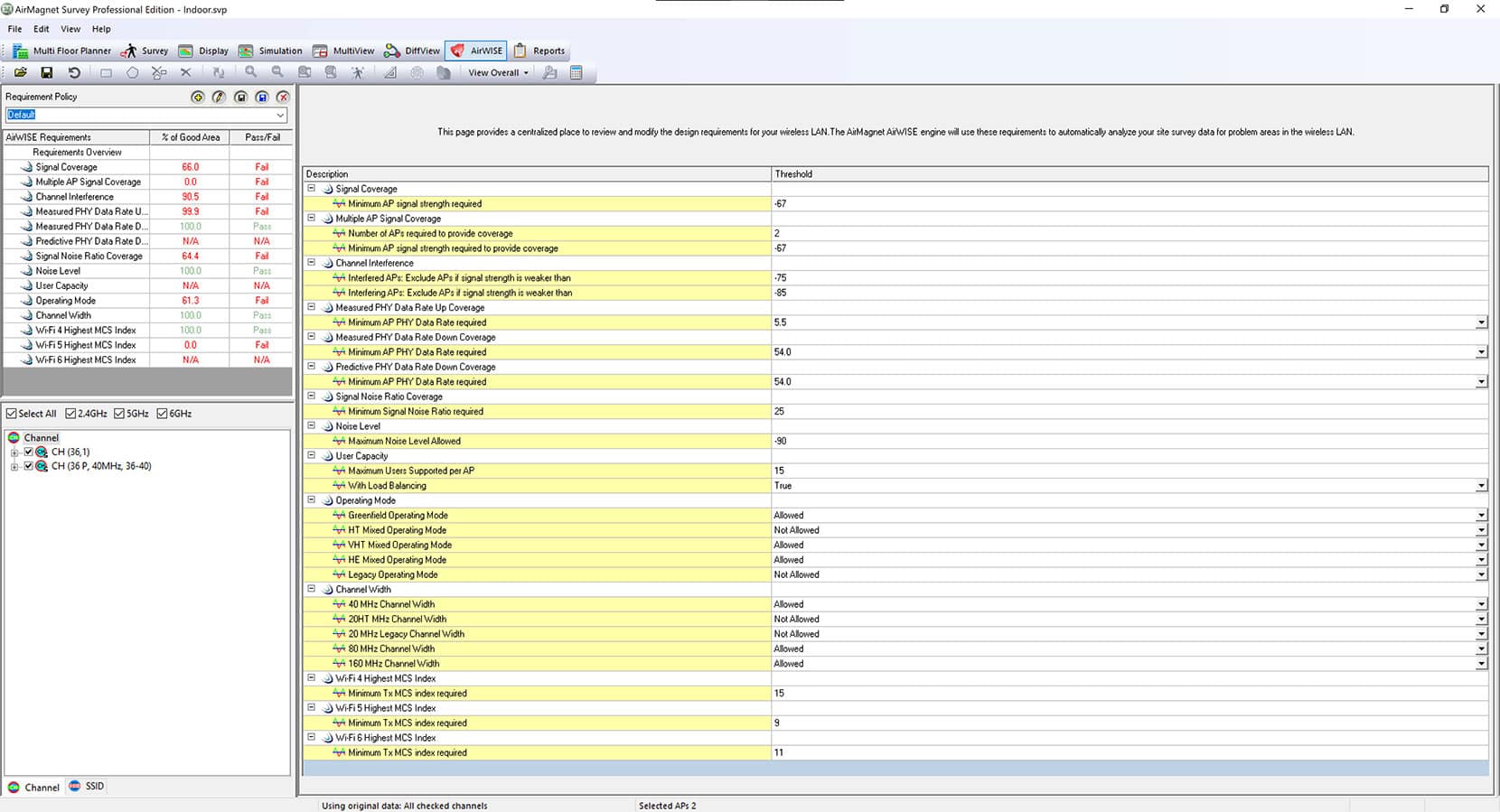
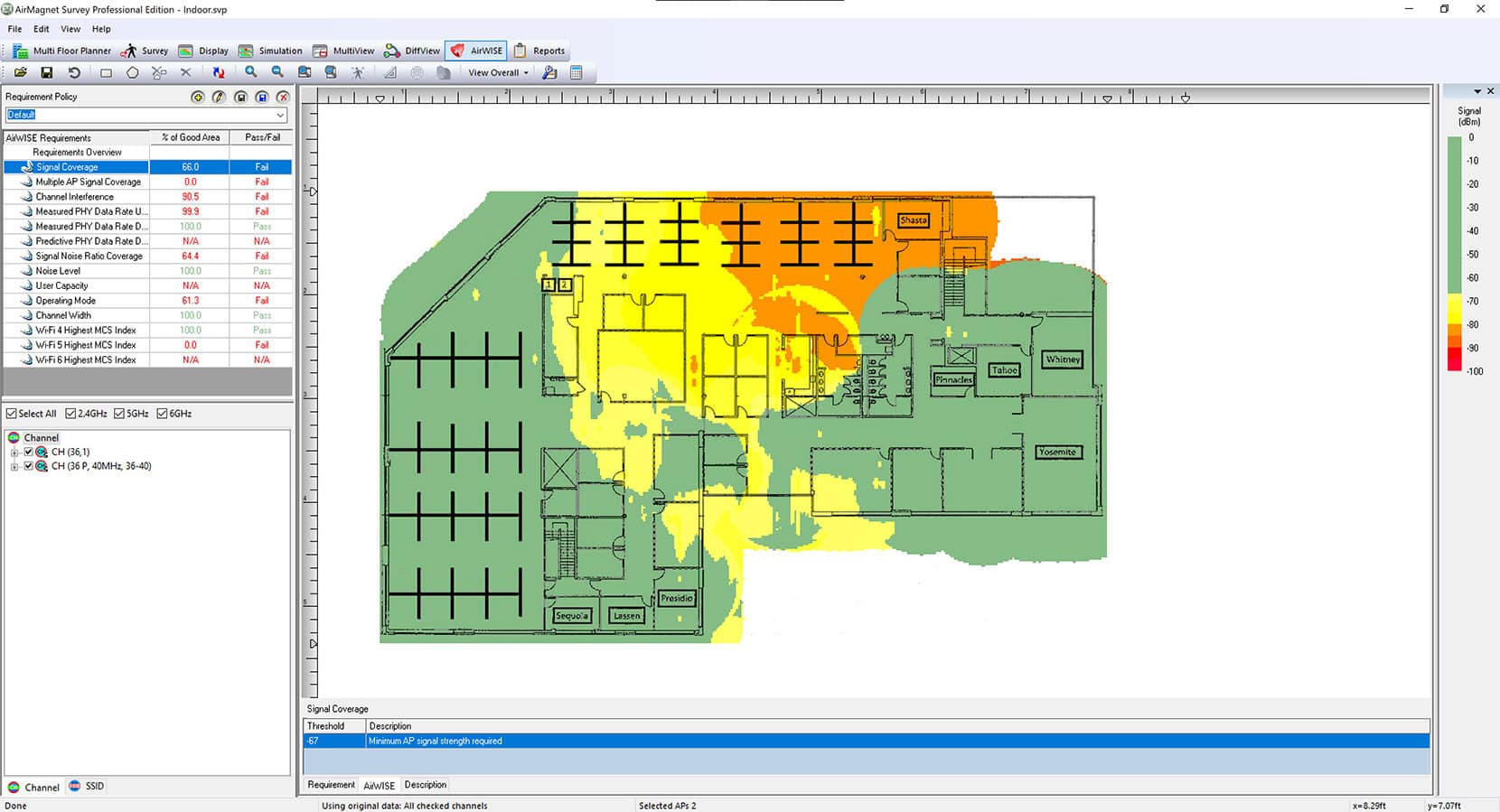
Identify Problem Areas
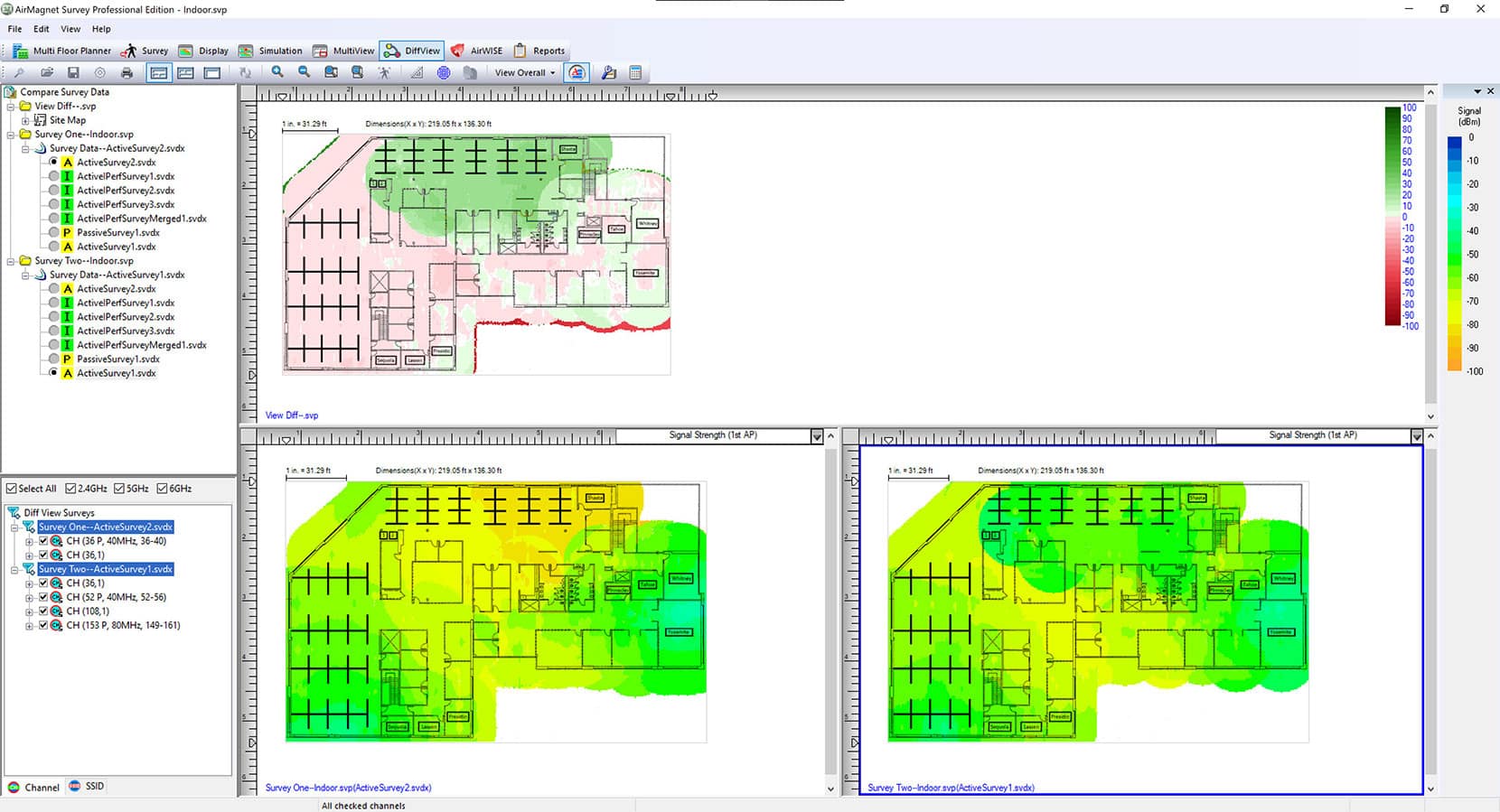
Automatically compares your survey or plan to your requirements and highlights areas of the floor plan that don’t comply.
Benefits: Simplifies the process of identifying problem areas, saving you the time it takes to manually analyze each heatmap. It also provides recommended courses of action, thus improving time to resolution.
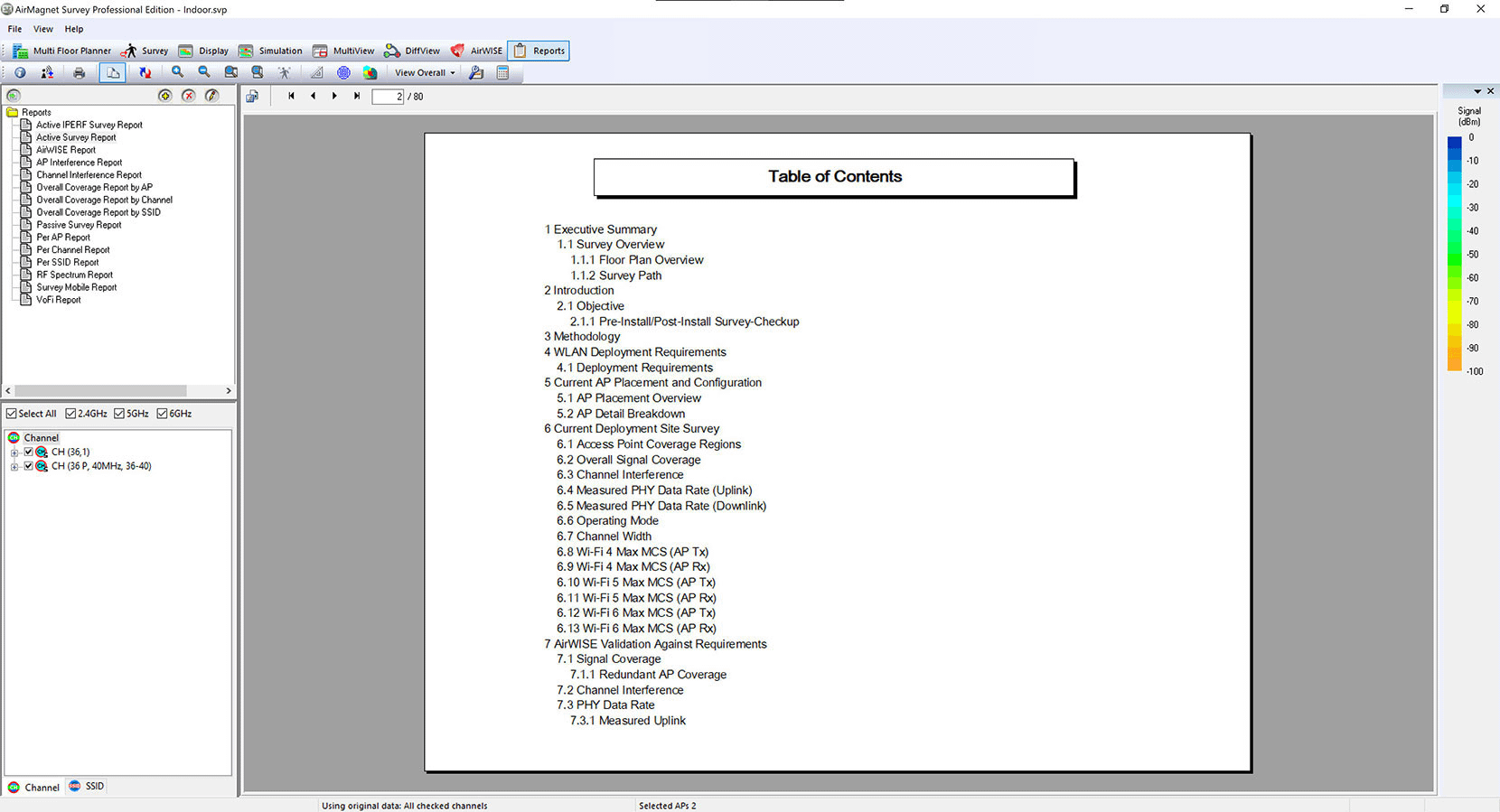
Reports
Generates different types of reports. Provides the option to use existing templates or custom reports.
Benefits: Quickly generate reports as required while having the option to easily create custom reports. Simplify the process of generating Bill of Material Reports, Planner Reports, Active Survey reports, Passive Survey reports, and more.
Models
Documents
Datasheet
| Title/Description | Download |
|---|---|
AirMagnet Survey PRO Datasheet | Download |
AirMagnet Planner Datasheet | Download |
Flyers
| Title/Description | Download |
|---|---|
AirMagnet Survey PRO Product Flyer | Download |
AirMagnet Survey PRO Product Comparison | Download |
AirMapper Site Survey Flyer | Download |
AirMagnet Survey PRO Recommended Adapters | Download |
AirMagnet Survey PRO on Demand Flyer | Download |
AllyCare Premium Support Services Flyer | Download |
Brochure
| Title/Description | Download |
|---|---|
NetAlly Corporate Product Brochure | Download |
Manuals
| Title/Description | Download |
|---|---|
AirMagnet User Guide v12.1 (English) | Download |
AirMagnet Release Notes v12.1 | Download |
Capabilities
-
Wi-Fi Modeling with AP Placement
-

Multi-Floor Design & AWE -
Real-World Survey Data & GPS Support
-

Wi-Fi Site Survey & Intelligent Heatmap Analysis
Get the most out of your Wi-Fi 7 network with AirMagnet Survey PRO. This wireless site survey tool helps you build detailed models of any wireless environment – even before the network is deployed or the building is constructed. Using AirMapper™ Site Survey on the AirCheck® G3, EtherScope® nXG, CyberScope® or CyberScope® Air, you can optimize your network for maximum performance.
Our automated AP placement feature streamlines network design:
- Load location maps and use the built-in library of walls, doors and windows to precisely match building characteristics
- Get automated suggestions for optimal access point placement
- Set independent configurations for all frequency bands including channel, IP address, transmit power, antenna type, orientation, and height
- Generate professional reports with installation specifications and RF coverage information
- Experiment with “what-if” scenarios by adjusting AP settings or testing additional AP locations
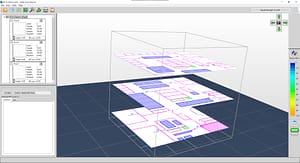
With AirMagnet Survey PRO, users can design new multi-floor Wi-Fi 7 networks, as well as plan their migration strategies for existing legacy networks, including one-to-one replacements or the phased introduction of devices into their legacy network. Users can plan their deployments for user capacity or performance without any physical AP rollout. AirMagnet Survey PRO provides unique coverage maps for WLAN throughput and other technology specific visualizations such as signal coverage, Operating Modes, MCS Transmit Rate, Channel Width, and Channel Overlap, to predict the WLAN performance at every location on the floor and offer the best design that minimizes any rework once the network is deployed.
Automatic Wall Extraction (AWE)
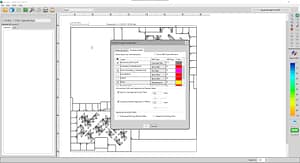
Users can reduce the amount of time spent preparing a floor plan for wireless deployment by quickly importing walls from CAD floorplans with only a few clicks of the mouse. Each CAD layer can be individually selected and given a unique attenuation type.
- Perform faster and simpler Wi-Fi site surveys on a fully mobile platform – no dongle or tethered device required
- Save time with simultaneous active and passive surveys in a single walkthrough
- Create visual heat maps of key performance metrics
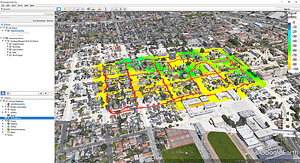
Experience the power of GPS integration and Google Earth compatibility with AirMagnet Survey PRO:
- Automatically collect data using your NMEA-compliant GPS device for outdoor surveys
- Analyze results in our interface or export into Google Earth for detailed street view
Note: GPS survey support requires the use of the AirMagnet Survey PRO software and a Wi-Fi adapter for data collection
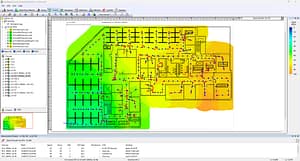
AirMagnet Survey PRO’s Wi-Fi heatmap software goes beyond basic RF coverage checks with comprehensive network analysis:
- Generate detailed heat maps showing WLAN coverage, noise, SNR, and interference
- Analyze throughput, data rates, retries, and packet loss
- Make informed design decisions using our NXT portable spectrum analyzer to visualize RF energy
- Identify and address performance issues including interference
Note: Spectrum analysis requires the use of the NXT-2000 portable spectrum analyzer on the AirCheck® G3, EtherScope® nXG, CyberScope® or CyberScope® Air. Noise and SNR measurements require the use of AirMapper Site Survey.
System Requirements
Laptop/Notebook PC/Tablet PC
- Operating Systems: Microsoft Windows 11 Pro/Enterprise 64-bit
- Intel® Core™ 7 processor or higher recommended
- 8 GB or higher recommended
- 1 GB free hard disk space
- AirCheck G3/EtherScope nXG/CyberScope with AirMapper™ (recommended) or AirMagnet-supported wireless network adapter(s)
- A site map in a format supported by AirMagnet Survey (supported formats are: .bmp, .dib, .dwf, .dwg, .dxf, .emf, .gif, vsd, .jpg, .wmf, .vdx or .png)
- AirMagnet Survey Pro works with any standard NMEA-compliant GPS device
- Google Earth must be installed to export GPS data for outdoor surveys (Survey PRO only)
Apple® Macbook® PRO
- Operating Systems: MAC OS X v10.5 (Leopard™) or higher running a supported Windows OS (as noted under Laptop/Notebook PC/Tablet PC section) using Boot Camp® or Virtual Machine
- Intel® Core™ 7 processor or higher recommended
- 8 GB or higher recommended
- 1 GB free hard disk space
- AirCheck G3/EtherScope nXG/CyberScope with AirMapper™ (recommended) or AirMagnet-supported wireless network adapter(s)
- A site map in a format supported by AirMagnet Survey (supported formats are: .bmp, .dib, .dwf, .dwg, .dxf, .emf, .gif, vsd, .jpg, .wmf, .vdx or .png)
- AirMagnet Survey Pro works with any standard NMEA-compliant GPS device
- Google Earth must be installed to export GPS data for outdoor surveys (Survey PRO only)
Supported Adapters
AirMagnet Survey supports two categories of wireless adapters:
- Recommended Adapters: These adapters have been comprehensively tested by NetAlly and are recommended for use with AirMagnet Survey PRO. Click here to learn more.
- Other Adapters: These adapters can be used with AirMagnet Survey PRO but have not been tested by NetAlly. Drivers have not been customized, will provide limited features, and could provide inaccurate data.
Note: Authentication methods supported by various adapters could be limited by their own capabilities, Windows wireless zero configurations and various other reasons.
Support
| Model Number/Name | Description |
| AM/A4018G-1YS | 1 year AllyCare Support for AirMagnet Survey PRO/Planner – AM/A4018 |
| AM/A4018G-3YS | 3 year AllyCare Support for AirMagnet Survey PRO/Planner – AM/A4018 |
| AM/A4012G-1YS | 1 year AllyCare Support for AirMagnet Planner – AM/A4012 |
| AM/A4012G-3YS | 3 year AllyCare Support for AirMagnet Planner – AM/A4012 |
| AM/B4010G-1YS | 1 year AllyCare Support for AirMagnet Survey Express |
| AM/B4010G-3YS | 3 year AllyCare Support for AirMagnet Survey Express |
| AM/A4016G-1YS | 1 year AllyCare Support for AirMagnet Survey Express to Survey PRO |
| AM/A4016G-3YS | 3 year AllyCare Support for AirMagnet Survey Express to Survey PRO |
| AIRCHECK-G3-PRO-1YS | 1 year AllyCare support for all AIRCHECK G3 PRO models, including “E” (Partial Tri-Band) and “C” (Dual Band only) SKU’S: AIRCHECK-G3-PRO, AIRCHECK-G3-PRO-KT, AIRCHECK-G3-PRO-TKT. |
| AIRCHECK-G3-PRO-3YS | 3 years of AllyCare support for all AIRCHECK G3 PRO models, including “E” (Partial Tri-Band) and “C” (Dual Band only) SKU’S: AIRCHECK-G3-PRO, AIRCHECK-G3-PRO-KT, AIRCHECK-G3-PRO-TKT |