RIGHT TOOL. RIGHT JOB. EVERY TIME!
At NetAlly, we believe informed decisions start with complete transparency. This page presents accurate, verifiable information about LinkRunner and competitive solutions, highlighting both strengths and limitations. Your trust matters more than any sale, and we’re confident that when you have the facts, you’ll choose the right tool for your needs.
In this guide, you’ll learn:
- The difference between cable certification, qualification, and troubleshooting
- Which type of tester fits each job
- Where popular tools differ when things go wrong
Which Network Tester Fits Your Work?
Not every network tester is built for the same job. Choosing the right tool depends on what you’re solving for:
- Cable Certification: When you need to verify that a new cable installation complies with industry standards.
- Cable Qualification: When you need to know whether a cable can support a specific speed.
- Troubleshooting and Performance Qualification (PQ): When you need full visibility, fast troubleshooting, and want to see how traffic performs in real network conditions
Ask yourself: Are you verifying cabling quality or solving live network issues?
Find your ideal tester →
Certification vs Qualification vs Troubleshooting
Each type of test answers a different question:
- Certification: Ensures your cabling meets industry standards. Ideal for new installations and warranty signoffs.
- Qualification: Confirms if your cabling supports required speeds (like 1G or 10G).
- Troubleshooting: Goes beyond compliance checks—diagnoses real-time network issues so you can fix problems faster.
Think of it this way:
Certification = “Does it follow the rules?”
Qualification = “Will it handle my speed?”
Troubleshooting = “Why isn’t it working right now?”
Comparison of Measurement Methods
| Measurement Area | Certification | Qualification | Troubleshooting and PQ |
| Wiremap | ✔ Full wiremap with shield, DC resistance, pair-to-pair mapping | ✔ Opens, shorts, split pairs, mis-wires | ✔ Same as qualification |
| Length | ✔ Standards-accurate length, propagation delay, delay skew | ✔ Approximate TDR length | ✔ Same as qualification |
| Bandwidth / Speed Capability | ✖ Not measured (certifiers measure electrical parameters, not “speed”) | ✔ Determines supported speeds | ✔ Same as qualification, but validated under traffic load |
| Electrical Performance | ✔ Full standards suite: NEXT, PSNEXT, ACR-N/F, RL, IL, TCL, ELTCTL | △ Simplified NEXT/RL/IL (trend-level) | △ Same, sometimes with SNR margin |
| Alien Crosstalk | ✔ Required for Cat 6A and above | ✖ Not measured | ✖ Not measured |
| PoE Testing | ✖ Not part of TIA/ISO certification (optional vendor add-ons only) | ✔ PoE class, voltage under load | ✔ PoE class, voltage under load |
| Link Negotiation | ✖ Not measured (certifiers test cable only) | ✔ Switch speed, duplex, LLDP/CDP | ✔ Same, plus performance validation |
| Traffic Performance | ✖ Not measured (certifiers do not send Ethernet traffic) | △ Sometimes basic throughput | ✔ Full bidirectional traffic test: throughput, frame loss, BER, latency, jitter |
| Application Validation | ✖ Not measured | ✔ “1G capable,” “10G marginal,” etc. | ✔ “Sustains 1G,10G, etc. under load” |
| Fiber Testing | ✔ OLTS measurements, OTDR traces, reflectance, event maps | △ Light power-level checks (some tools) | ✔ Traffic-based fiber performance |
| Pass/Fail Criteria | Standards-based (TIA/ISO) | Application-based | Application-based under load |
| Result | Strict Pass/Fail vs standard | Qualified for a specific speed (e.g., “Good for 10G”) | Actual speed results under real traffic conditions |
| Typical Use Case | New installations, manufacturer warranty validation | Moves, Adds, Changes (MACs), checking upgrade readiness | MACs, Troubleshooting intermittent or persistent issues |
| Cost | High ($$$$) | Moderate ($$) | Low–Moderate ($–$$) |
Network Testers Compared
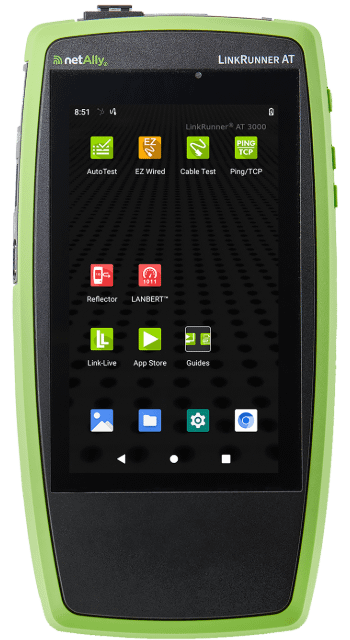
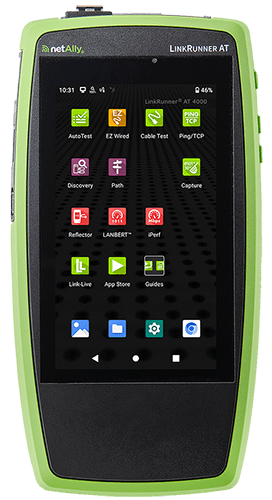
We compared three popular handheld network testers (NetAlly LinkRunner AT 3000, Fluke Networks LinkIQ, and TREND Networks SignalTEK QT) to give you an honest, practical view of their strengths and limitations.
Each tester can quickly validate cable quality and confirm supported link speeds, but where they differ is how deep they go if something is wrong.
| Vendor | TREND Networks | Fluke Networks | NetAlly |
| Product | 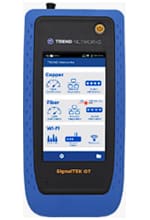 SignalTEK QT | 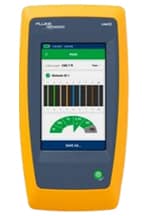 LinkIQ/LinkIQ Duo | 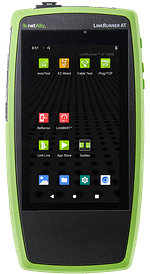 LinkRunner AT 3000 |
| Price (MSRP) | $3,425 USD | $2,956 – $4,052 USD | $2,595 USD |
| Capabilities | • Copper/ Fiber • Basic Cable Testing • Basic Wi-Fi Connectivity & Scanning • Cable Qualification • Basic Network Testing | • Copper Only • Basic Cable Testing • Basic Wi-Fi Connectivity & Scanning (Duo model) • Cable Qualification • Basic Network Testing | • Copper/ Fiber • Basic Cable Testing • Basic Wi-Fi Connectivity & Scanning* • Performance Qualification1 • Basic Network Testing • In-Depth Network Diagnostics |
| Weight (gr) | 1600 | 624 | 480 |
| Dimensions (cm) | 21.7 x 10.7 x 5 | 22 x 11 x 4.5 | 19.6 x 10.2 x 4.2 |
| Dimensions (in) | 8.54 x 4.21 x 1.97 | 8.5 x 4.5 x 1.77 | 7.72 x 4.02 x 1.65 |
| Strengths | • Supports copper and fiber qualification. • Offers basic Wi-Fi scanning and connectivity checks. • Supports cloud reporting. • Useful for technicians who need quick validation that a link can support a specific application. | • Supports copper cable qualification. • Offers basic Wi-Fi scanning. • Useful for technicians who need quick validation that a link can support a specific application. | • Supports copper and fiber performance qualification1. • Offers basic Wi-Fi scanning and connectivity*. • Provides comprehensive AutoTest verifying all aspects of copper/fiber network connectivity. • Supports cloud reporting and collaboration. • Useful for technicians who need to fix problems faster. |
| Limitations | • Focused mainly on proving link performance, not deep troubleshooting. • Limited insight into VLAN configuration and DHCP issues. • Advanced features like fiber and Wi-Fi make this a more expensive model. | • Primarily focused on cable qualification, with relatively limited network diagnostics. • Wi-Fi testing (Duo model) is basic compared with dedicated analyzers. • Provides less visibility into end-to-end network behavior when troubleshooting. • Requires tethering to a laptop/PC to extract test data. | • More feature-rich, which can make it more complex to use (includes an EZ mode for fast results). • Performance tests require the use of a far end device (enables bi-directional testing). • Designed more for fast network troubleshooting than strict cable qualification. |
1Up to 1 Gbps using the LANBERT app and a second paired tester.
Detailed Comparison Chart →
What’s the Difference Between High Level Info and Deeper Diagnostics?
Many testers list similar features. But the depth of information and ease-of-use can be dramatically different.
Here are a few real-world examples:
- VLANs: Some testers show basic VLAN IDs discovered through CDP/LLDP. LinkRunner AT goes further by showing trunk port VLAN membership, observing VLAN-tagged traffic to show all VLAN’s on a trunk, and monitoring VLAN traffic.
- PING Testing: Intermittent problems are notoriously hard to catch.
- SignalTEK and LinkIQ can run simple ping tests.
- LinkRunner AT can run ping monitoring for up to 24 hours, including response time trends. This helps identify sporadic network connectivity and performance issues.
- TCP Connection Testing: Many networks block ICMP ping.
A TCP SYN/SYN-ACK test mimics application traffic to confirm port-level connectivity. This feature is not available on SignalTEK QT or LinkIQ. - DHCP: All testers can request an IP address. But LinkRunner AT also logs DHCP Offer timing, acknowledge timing and server response details. This makes diagnosing DHCP issues much faster.
So Which Tester Should You Choose?
- Choose SignalTEK QT if you primarily need link qualification for copper and fiber.
- Choose Fluke LinkIQ if your focus is cable qualification for copper only.
- Choose LinkRunner AT if you need to troubleshoot the entire network connection, not just the cable.