Power over Ethernet began with a simple promise: power and data over a single cable. But in IT, simplicity rarely lasts. What was once a straightforward standard has become an alphabet soup of PoE, PoE+, PoE++, and Cisco’s UPoE. If you’re trying to figure out whether UPoE and PoE++ are the same, and more importantly, what your new power-hungry devices actually require to function, you’re not alone. This guide cuts through the noise and delivers the technical breakdown you need to make the right call.
Table of Contents
- What is the difference between UPoE and PoE+?
- How Much Power Can PoE Actually Deliver?
- What Cables Do You Need for UPoE and PoE+?
- How Does PoE Power Negotiation Work?
- What Devices Use UPoE vs. PoE+?
- Implementation Requirements
- How Far Can PoE Cables Run?
- Migration and Compatibility
- Is PoE Safe and Reliable?
- Choosing the Right Standard: It’s Not About Your Company’s Size
What is the difference between UPoE and PoE+?
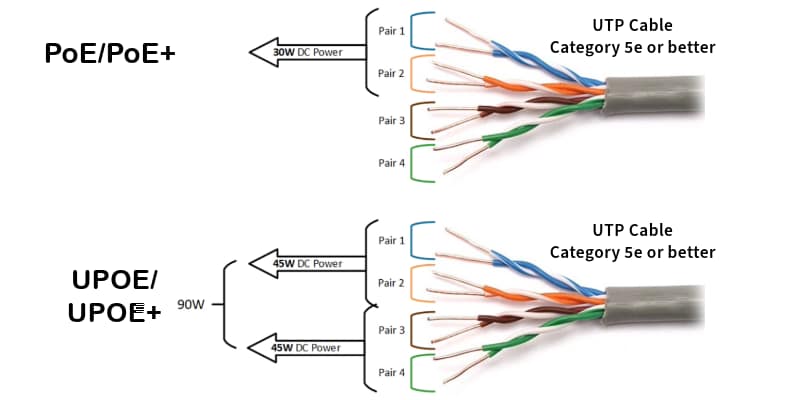
The fundamental difference in the UPoE vs PoE+ debate boils down to two things: how much power is delivered and how many wires are used to deliver it.
- PoE+ (IEEE 802.3at) is the established standard for many devices, delivering up to 30W from the power source by using two twisted pairs in an Ethernet cable. This is sufficient for hardware like VoIP phones and many standard IP cameras. The term PoE Plus is also commonly used.
- UPoE (Universal Power over Ethernet) significantly increases the power budget to 60W by utilizing all four twisted pairs in the cable. This is essential for more demanding, modern hardware.
The naming gets messy because Cisco was ahead of the curve with UPoE. The official IEEE 802.3bt standard later codified this 60W, 4-pair capability as PoE++ Type 3. For any working network pro, they are functionally identical: 60 watts for your power-hungry devices.
This table lays out the critical distinctions:
| Feature | PoE+ (802.3at Type 2) | UPoE / PoE++ (802.3bt Type 3) |
| Max Power at Source (PSE) | 30W | 60W |
| Guaranteed Power at Device (PD) | 25.5W | 51W |
| Wires Used | 2-pair | 4-pair |
| Primary Use Case | Standard IP devices, Wi-Fi 5 APs | High-performance devices, Wi-Fi 6/7 APs |
The takeaway is simple: PoE+ handles standard devices. UPoE or PoE++ is the non-negotiable requirement for modern, high-performance hardware.
How Much Power Can PoE Actually Deliver?
The wattage advertised is not always the wattage you get. There’s always some power lost as it travels down the cable, kind of like how a long garden hose loses some water pressure. That’s why the standards define power at the Power Sourcing Equipment (PSE) – your switch – and guaranteed power at the Powered Device (PD) – your camera, AP, or phone.
The IEEE has been steadily upping the power ante since 2003. Here’s how the standards have evolved:
| Standard | Name | Year | Max PSE Power | Guaranteed PD Power | Pairs Used |
| 802.3af | PoE | 2003 | 15.4W | 12.95W | 2-pair |
| 802.3at | PoE+ | 2009 | 30W | 25.5W | 2-pair |
| 802.3bt | PoE++ / UPoE | 2018 | 60W (Type 3) | 51W | 4-pair |
| 802.3bt | PoE++ / UPoE+ | 2018 | 100W (Type 4) | 71.3W | 4-pair |
Notice the jump with 802.3bt? By using all four pairs of wires, the standard could essentially double the power, paving the way for a new generation of high-performance devices.
What Cables Do You Need for UPoE and PoE+?
Cable choice is not the place to cut corners on a high-power Power over Ethernet deployment. While you might get away with Cat5e for basic, low-power devices, the rules change as the wattage increases.
For PoE+ (30W), Cat6 is the minimum professional standard. For UPoE/PoE++ (60W and up), Cat6A is the requirement.
The reason is simple: heat. Pushing 60 or 90 watts through a cable generates a significant thermal load. The thicker copper conductors in Cat6A have lower resistance, which means they generate less heat and can handle the thermal stress far better than Cat5e or Cat6. Using undersized cabling isn’t just bad practice; it’s a fire hazard.
Pro Tip:
Stay away from CCA (Copper Clad Aluminum) cables for PoE deployments. Seriously. They have higher resistance, generate more heat, and can be a straight-up fire risk with high-power PoE. It might save you a few bucks upfront, but it’s not worth the potential network failure or safety hazard. Stick to 100% solid copper cables.
How Does PoE Power Negotiation Work?
The reason you can plug a non-PoE laptop into a PoE port without frying its network card is a process called power negotiation. It’s a controlled, intelligent handshake that prevents damage to devices.
It starts at the physical layer. When a device connects, the PSE (the switch) sends a low-voltage detection pulse. A PD (the powered device) responds with a specific resistance signature. This tells the PSE two things: “Yes, I am a PoE device,” and “This is the power class I belong to.” The PSE then allocates the required wattage, and only then does it send full power.
This entire process is called Active PoE, and it’s the core safety mechanism built into all IEEE 802.3 standards.
The dangerous alternative you sometimes see from certain vendors is Passive PoE. It’s not a standard, and there is no handshake. The port is always sending power, like a live wire. Plug in a device that isn’t designed for it, and you will damage it.
For modern standards like PoE+ and UPoE, a second, more advanced negotiation can occur at the software level using protocols like LLDP and CDP, allowing the device and switch to fine-tune power allocation.
What Devices Use UPoE vs. PoE+?
The choice between PoE+ and UPoE is dictated by the device’s power requirements – it’s that simple.
PoE+ (up to 30W) is the correct standard for:
- VoIP phones and video phones
- Standard Wi-Fi 5 and many Wi-Fi 6 access points
- Basic, fixed-lens IP security cameras
- Most IoT sensors and controllers
UPoE / PoE++ (60W and up) is the mandatory standard for:
- High-performance Wi-Fi 6E and Wi-Fi 7 access points
- Pan-Tilt-Zoom (PTZ) security cameras, especially those with heaters or blowers for outdoor use
- Virtual Desktop Infrastructure (VDI) clients
- Digital signage, IP turrets, and modern video conferencing systems
- Building management gateways and other smart building systems
The trend is clear: more devices, especially in the wireless and security space, are demanding 60W and beyond. If you’re planning a Wi-Fi 7 deployment, you’re not just planning for a new radio standard; you’re planning for a 60W PoE infrastructure.
Implementation Requirements
A successful PoE deployment rests on three non-negotiable factors. Get one wrong, and you’ll be troubleshooting intermittent failures or devices that won’t power on at all.
First, your switch infrastructure must explicitly support the required PoE standard. A PoE+ switch cannot power a UPoE device, period. Second, your cabling plant must be up to the task – that means Cat6A for any new high-power installation.
Finally, and most critically, you must calculate the power budget. Every PoE switch has a maximum wattage it can supply across all ports. Sum the power requirements for every device you plan to connect. If that total exceeds the switch’s budget, some devices simply won’t power on. It’s a simple calculation that’s frequently overlooked, leading to major headaches during deployment.
Pro Tip:
Don’t max out your PoE power budget. A switch running at 99% capacity is stressed and has no room for future growth. A good rule of thumb is to plan for your total device load to be no more than 75-80% of the switch’s total budget.
How Far Can PoE Cables Run?
The Ethernet cable standard (TIA/EIA-568) defines that the maximum length for reliable data transmission and PoE delivery is 100 meters (328 feet).
This isn’t a PoE limitation, it is a rule part of the Ethernet standard. Pushing a cable past this limit could lead to voltage drops, data loss, and device failures.
However, the standard doesn’t account for active equipment behavior. Modern Network Interface Cards (NICs) utilize “Digital Signal Processing” (DSP). This technology performs echo cancellation, crosstalk suppression, and error correction on the fly, which is why you can sometimes run 100 Mbps and PoE over a 250-meter cable.
That’s it – a complete guide to PoE, PoE+, and UPoE! Power over Ethernet isn’t just a handy way to power devices; it’s essential for modern networks. Picking the right PoE standard is vital for a reliable, efficient network that’s ready for anything – from a few IP phones to a whole smart building. Know the capabilities of each standard, think about your current and future needs, and you’ll be set to make the best choice.
Pro Tip:
A Certification tool would fail a test immediately if a cable exceeds the 100-meter standard, but a LANBERT test exposes the cable’s real operating condition by using DSP and validating what the link can truly carry, not just what the standard allows.
Migration and Compatibility
The IEEE standards are backward compatible by design, which simplifies most upgrades.
A modern UPoE+/PoE++ (802.3bt) switch will safely power an older PoE+ or standard PoE device. The switch and device negotiate the correct power level, so there’s no risk of damage.
The reverse, however, is not true. An older PoE+ (802.3at) switch cannot power a newer UPoE/PoE++ device. It lacks both the required wattage and the 4-pair power delivery capability.
The only exception to watch for is legacy hardware. Cisco’s original, pre-standard UPoE was proprietary. Modern Cisco UPoE switches supporting UPoE+, however, are fully compliant with the IEEE 802.3bt standard and are compatible with any standards-based device.
Is PoE Safe and Reliable?
Yes. Standard-compliant PoE is inherently safe.
The active negotiation process I mentioned earlier is the key. It’s an intelligent handshake that ensures a port never sends power unless a compatible device requests it. The risks of equipment damage are practically zero, provided you use quality, certified cabling and proper installation techniques.
From a reliability standpoint, PoE is a massive advantage. It centralizes your power source at the switch, which can be connected to an Uninterruptible Power Supply (UPS). If building power fails, your critical devices – cameras, access points, phones – all stay online. That’s a level of resilience you can’t achieve with scattered individual power adapters.
Choosing the Right Standard: It’s Not About Your Company’s Size
The choice between PoE+ and UPoE/PoE++ has nothing to do with the size of your company. It’s about the demands of your network. The decision comes down to three practical factors:
- Device Requirements. This is the most important factor. What are you plugging in? Check the device’s spec sheet. If it requires more than 25.5W to function, you need UPoE/PoE++. There is no workaround.
- Future-Proofing. Are you planning a network refresh in the next 3-5 years? If you know Wi-Fi 7 is on your roadmap, deploying switches that support 60W or 90W UPoE+ now is a smart investment. It will save you from having to rip and replace your infrastructure prematurely.
- Cost. Yes, higher-wattage switches have a higher upfront cost. But the cost of replacing an under-powered switch in two years because it can’t support your new access points is far greater. The real calculation is the total cost of ownership, not just the initial purchase price.
Don’t Guess. Test.
Choosing the right PoE standard is half the battle. The other half is ensuring your infrastructure can actually deliver on the promise. When a high-power Wi-Fi 7 AP starts dropping offline, you can’t afford to guess whether it’s the switch, the cable, or the AP itself. Verifying that your switch ports deliver the advertised power under load is the only way to be sure.
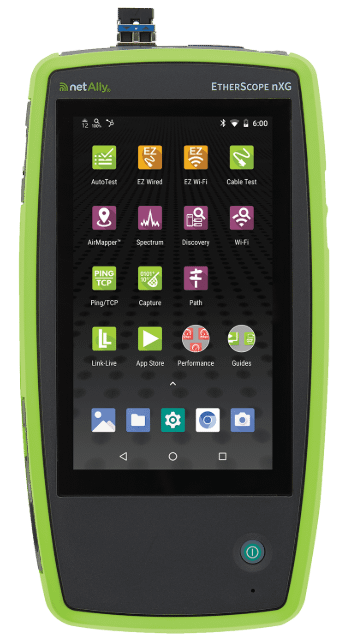
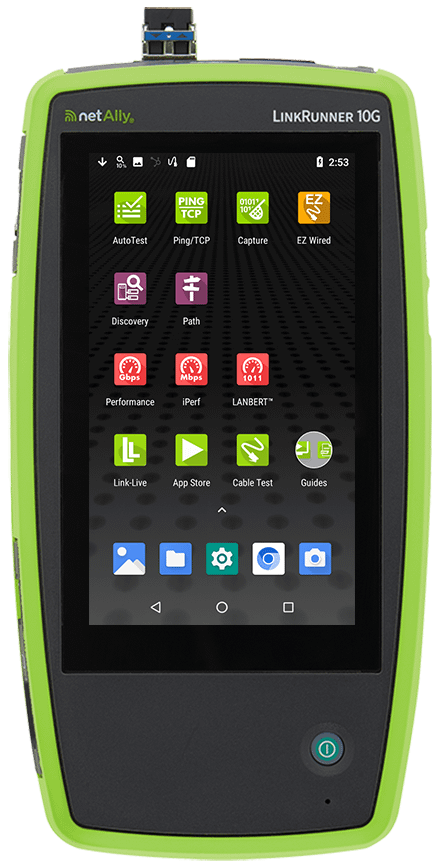
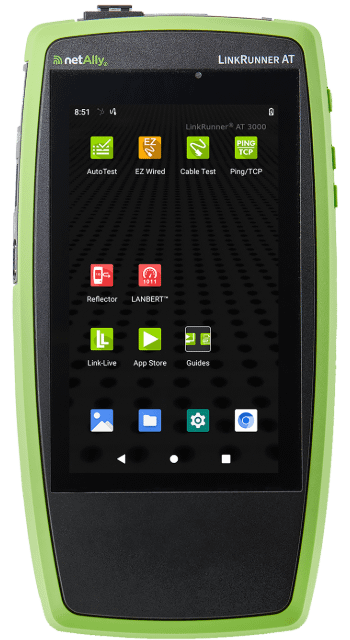
That’s where NetAlly tools come in. With instruments like the EtherScope® nXG, LinkRunner® 10G, LinkRunner® AT 4000, and LinkRunner® AT 3000, you can perform TruePower™ loaded PoE testing up to 90W. This isn’t a simple voltage check; our tools simulate the actual power draw of a device to confirm your network can handle it. Stop chasing power ghosts and start validating.